
Core xDesk management app
Dedicated access for service managers and administrators.
xDesk · Employee Services (G2E)
xDesk streamlines the delivery of internal IT and other support services to employees. It automates service and support processes, organizes support teams and helps every government organization achieve its service level goals.
xDesk is internal service management for government. It streamlines how an organization delivers internal IT and other support services to its employees.
The platform automates service and support processes end to end, organizes support teams and helps them achieve service level goals. Multi-channel access, including a feature-rich self-service portal, mobile apps and AI assistance, provides 24/7 support.
The service desk on this page is delivered today by xDesk 2026, the current generation of the platform. It brings the service desk together with asset and inventory management, procurement and IT financials on one Microsoft Dynamics 365 foundation.

xDesk automates the internal service desk from the moment an employee asks for help.
An employee submits a request through the self-service portal.
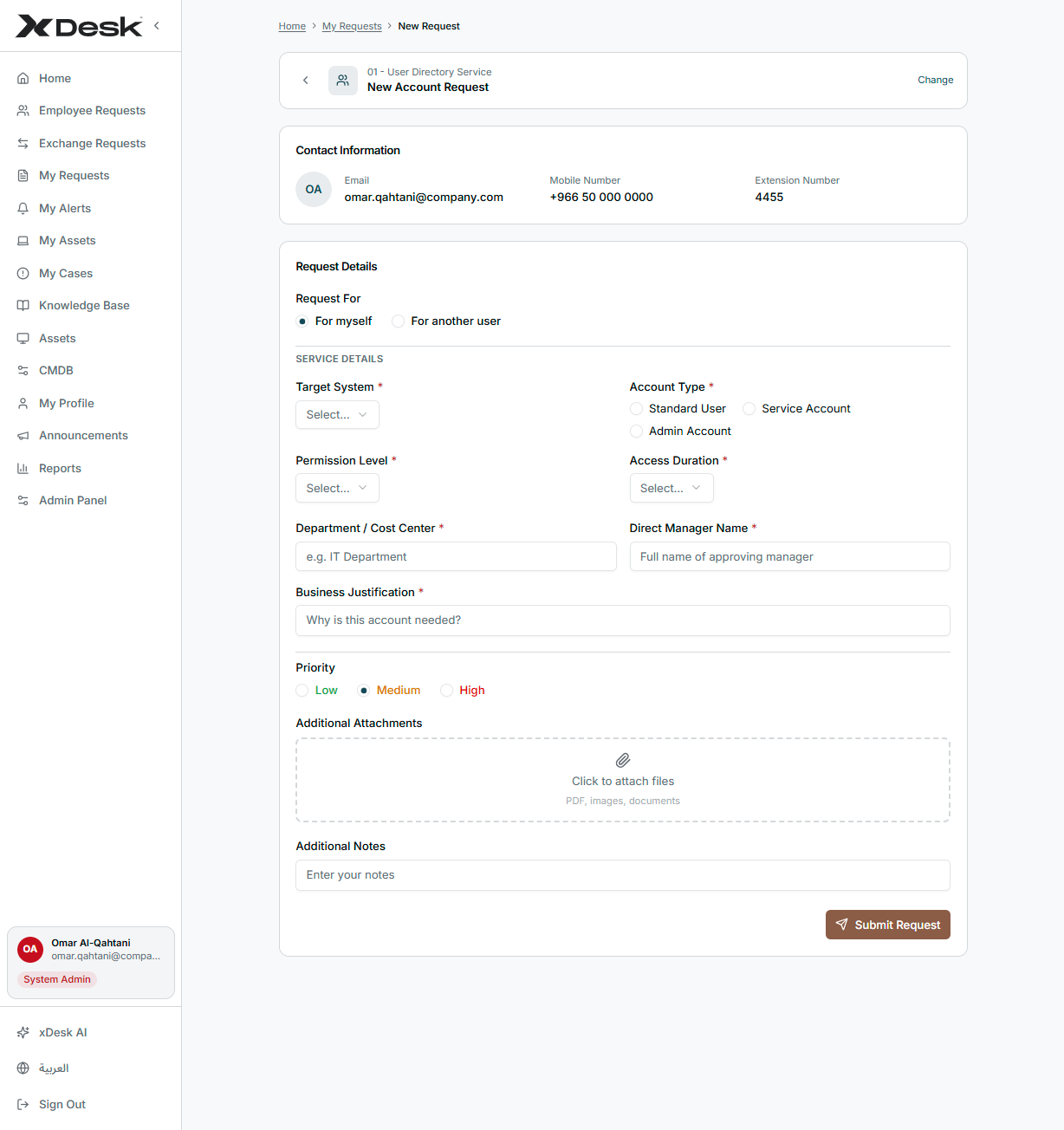
The form adapts to the type of request.
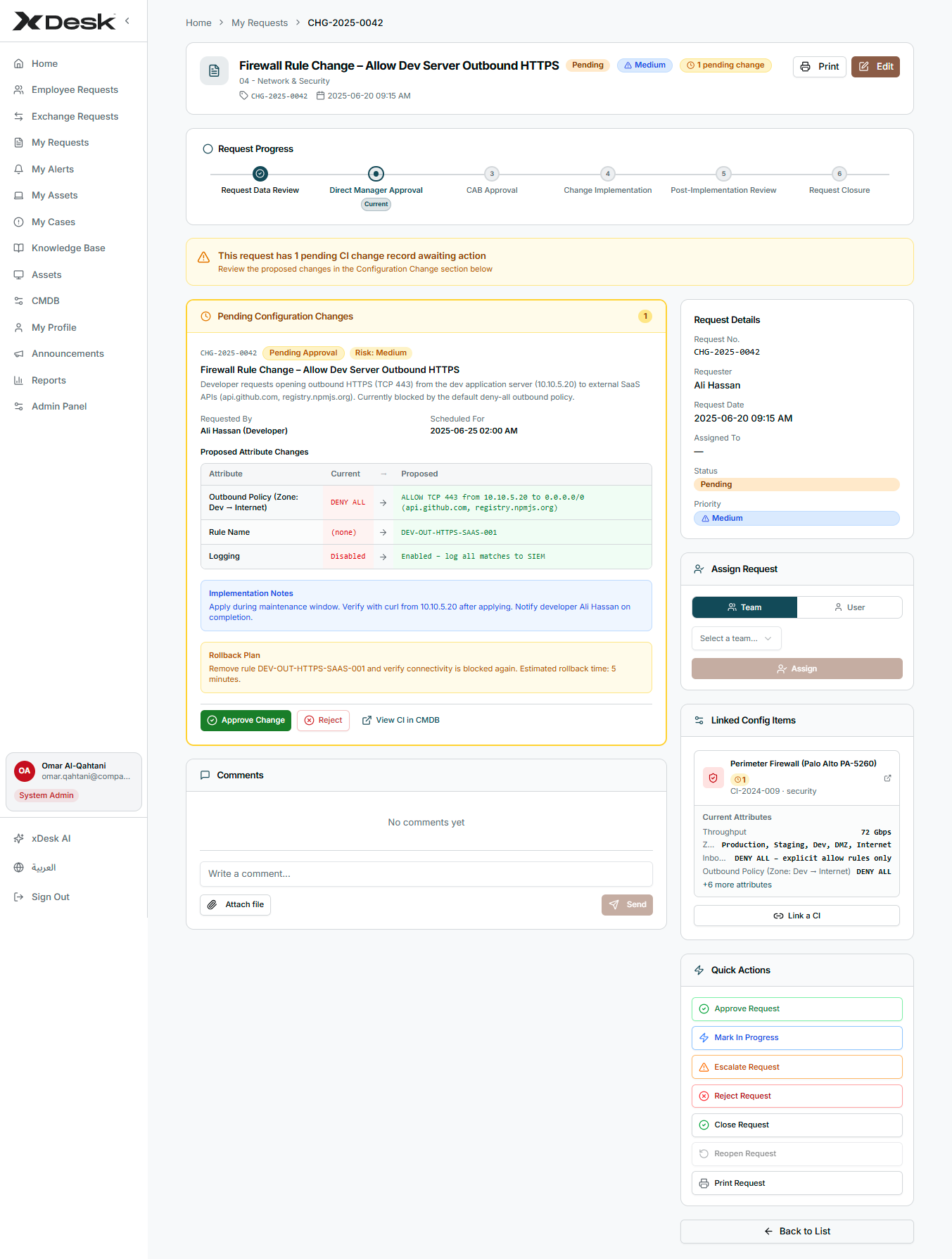
The system assigns the request to the correct support team.
Service Level Agreements (SLAs) are tracked on every request.
The requester receives real-time status updates.
Service intelligence dashboards report performance KPIs.
xDesk ships with built-in service automation processes and a starter library that standardizes your support procedures. Every process is flexible, so you can embed your own escalation parameters and routing channels.
xDesk organizes support teams, assigns each request to the correct one and tracks its Service Level Agreement, so teams can achieve their service level goals.
Engage across web, social, chat, email, mobile and phone, including self-service. Real-time and historical insight shows what a requester has already viewed and searched before reaching an agent. Feedback and surveys reveal general sentiment and contextual feedback.
A feature-rich self-service portal, mobile apps and AI assistance keep support available around the clock.
Connect the right person with the right knowledge at the right time. Give employees and support teams a single source of truth, keep content relevant by capturing and publishing it across your channels, and measure its impact through analytics.
Track your complete inventory, from workstations, servers and switches to software, mobile devices and tablets.
A single, managed service catalog is the basis of efficient internal e-services. The Service Catalog Studio gives government organizations one place to build, maintain and publish service process templates and blueprints.
Templates make service delivery consistent, automate routine tasks, reduce the risk of errors and cut the time and effort needed to launch a new service. Built-in automation guidance helps teams automate processes and workflows, lowering the cost of manual work and keeping services compliant with regulations and policies.
Because the studio is ISO 9001 compliant, service delivery meets international quality-management standards.
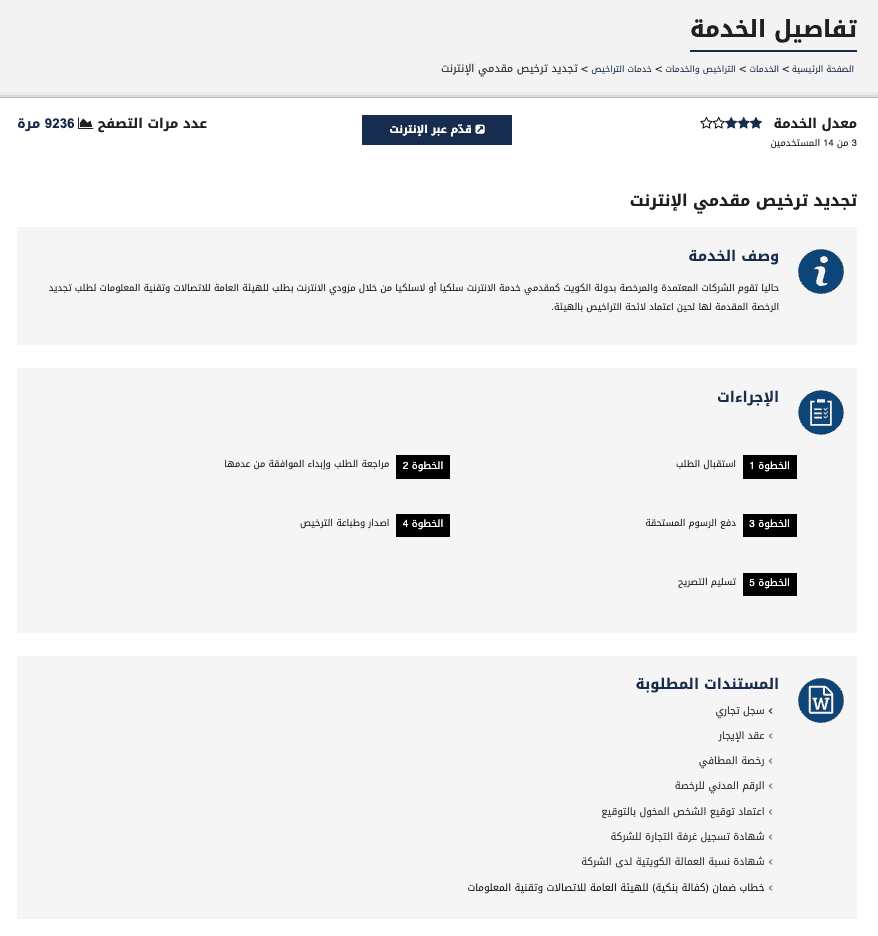
Integrating DG365 e-services with contact center solutions and other communication channels makes service delivery more efficient and improves the experience of the people being served.
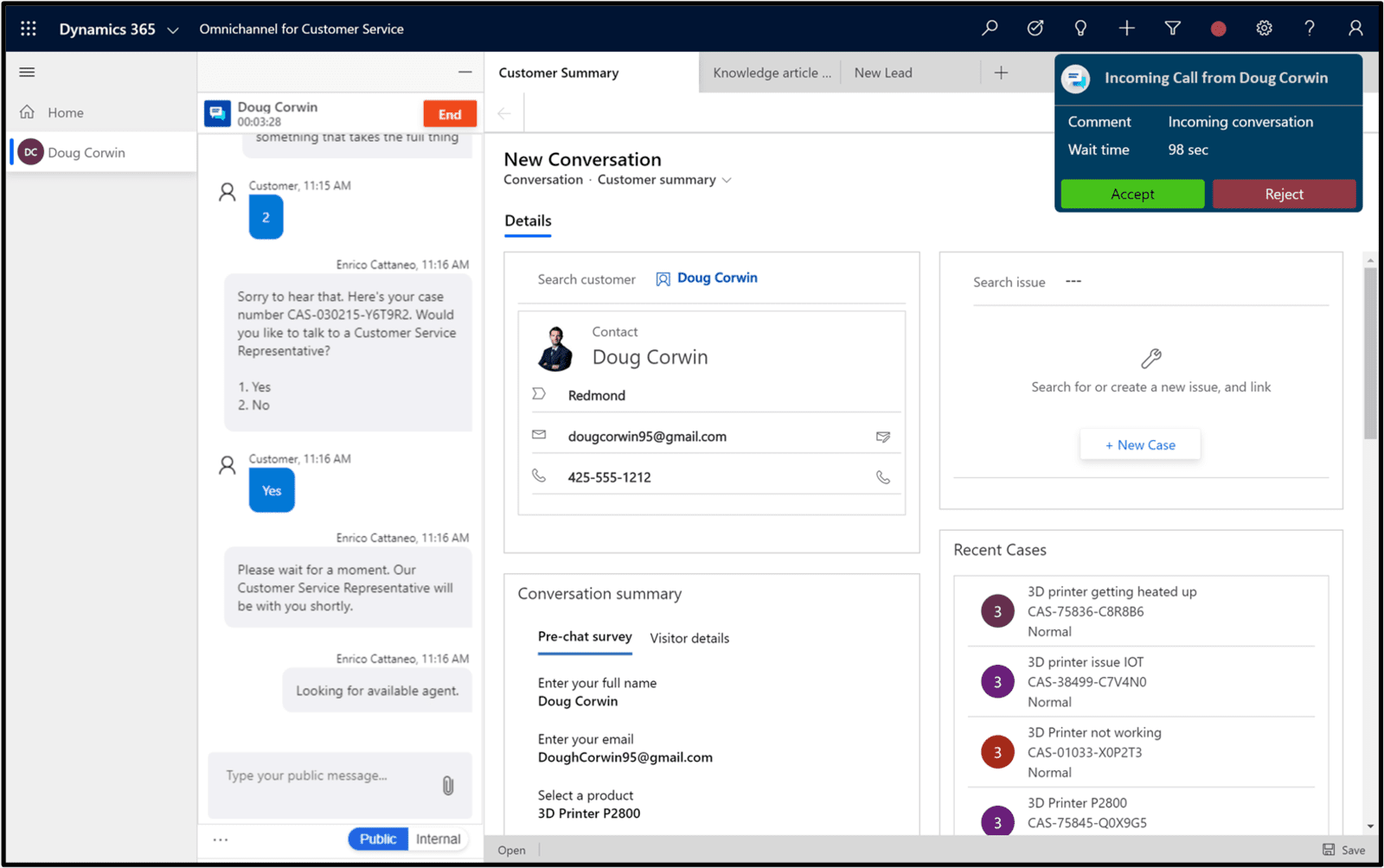
Organizations offer one consistent experience across phone, email, chat and social media. Requesters wait less and get faster service. With more ways to reach services, satisfaction rises and complaints fall.
Together they cover the service desk from the employee's request to management reporting.
Portals, mobile apps and AI assistance give employees support 24/7.
One place to maintain service process templates and blueprints.
Requests are assigned to the correct support team and tracked against SLAs.
The complete inventory, from workstations and servers to software and mobile devices.
A single source of truth for employees and support teams.
Dashboards report performance KPIs across service operations.
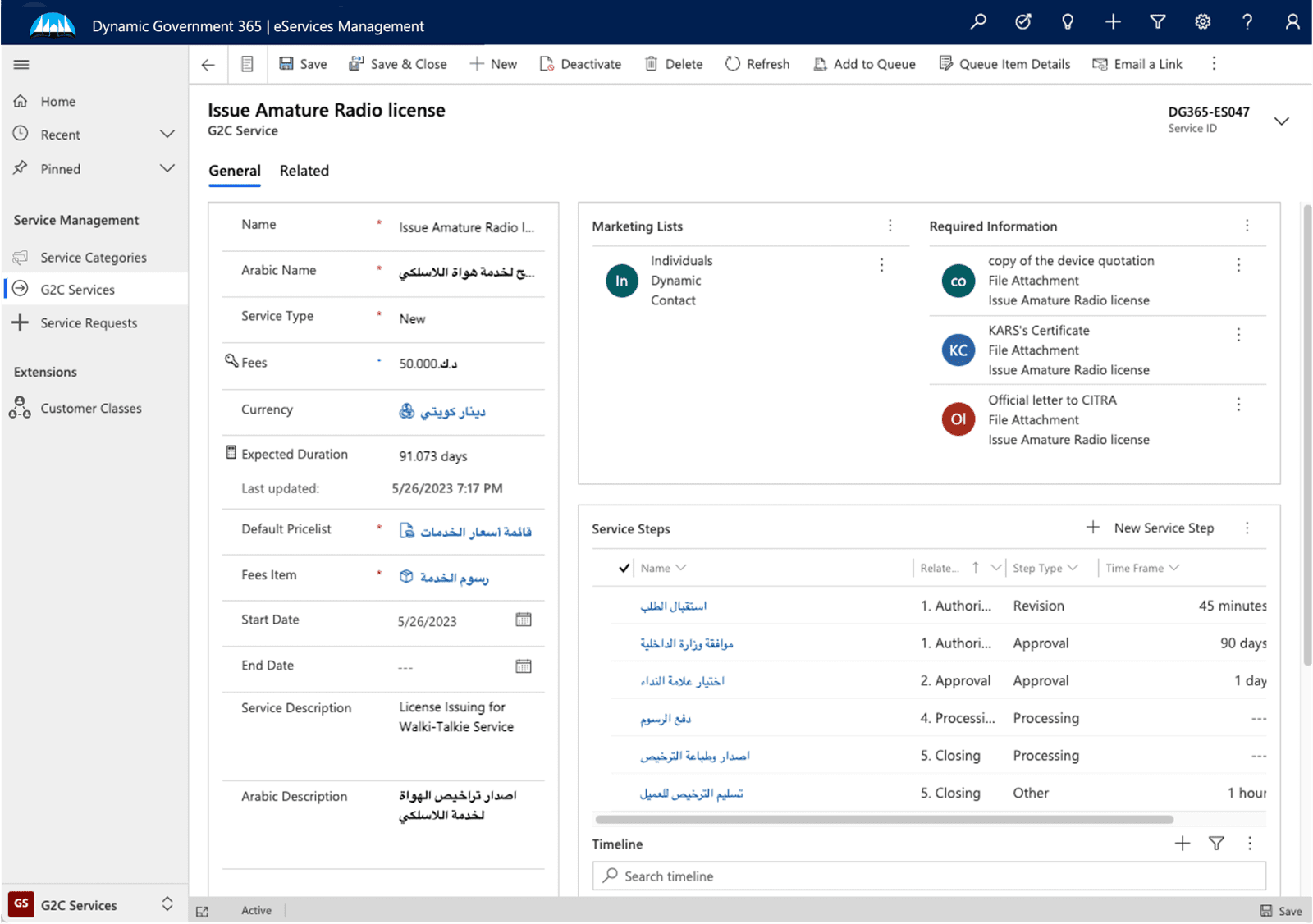
Dedicated access for service managers and administrators.
Dedicated mobile self-service access for employees.
Dedicated web self-service access for employees.
Analytical dashboards covering all e-services operations and activities.
System interfaces for integrating and exchanging information with other software.
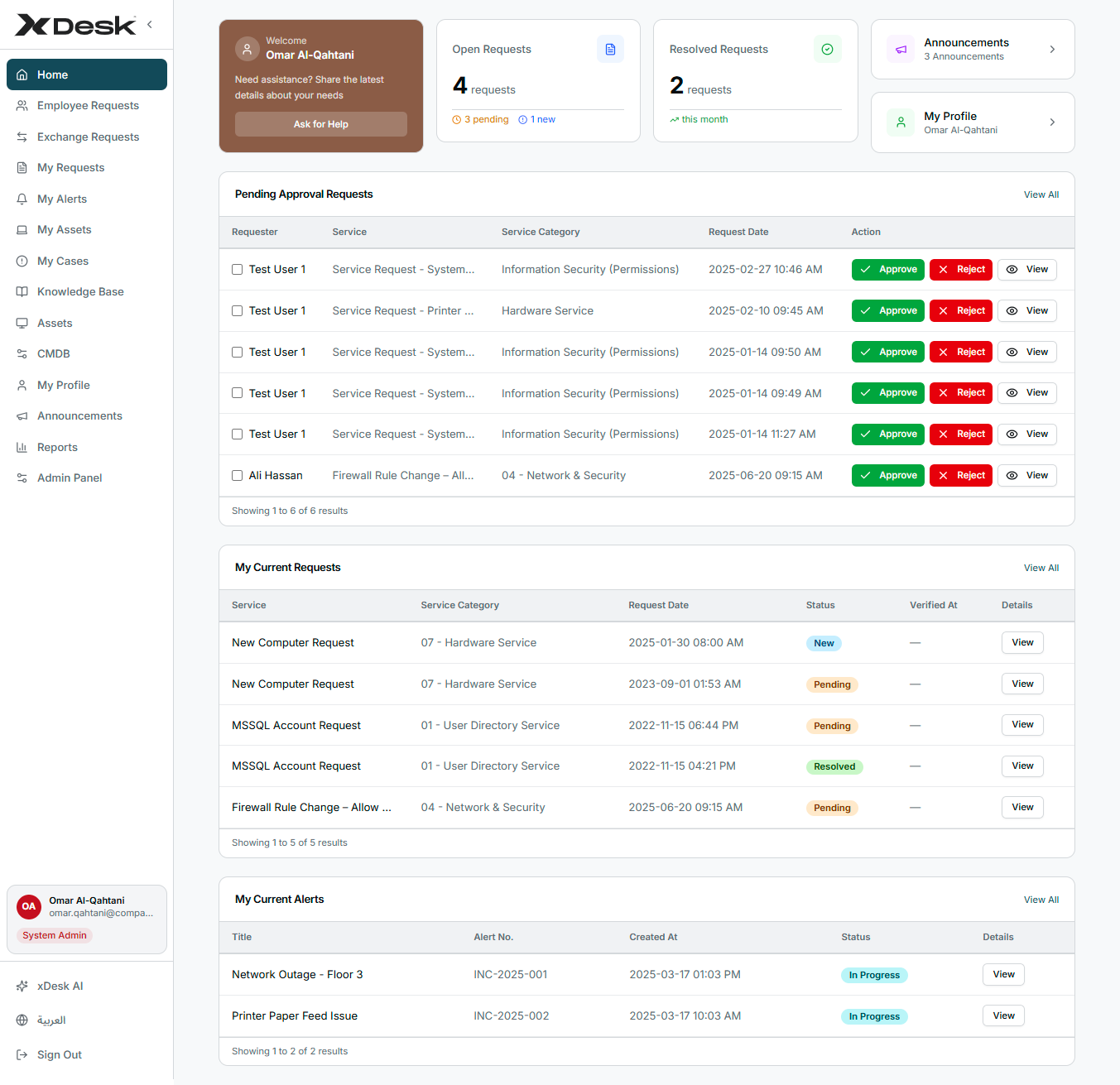
xDesk 2026 is the current generation of the service desk. These four screens show how it handles a request from submission to reporting. The full platform is on the xDesk 2026 page.
Employees submit service requests, track status updates, search the knowledge base and view their assigned assets from one home page. Direct managers review and approve pending requests in their own approval portal.
Services are grouped by category in the ISO 9001 Compliant Service Catalog Studio. Choosing a service opens a dynamic form with the details that request requires.
Intelligent multi-department service flows assign each request automatically and monitor its SLA. The requester sees every stage, from data review and manager approval to closure.
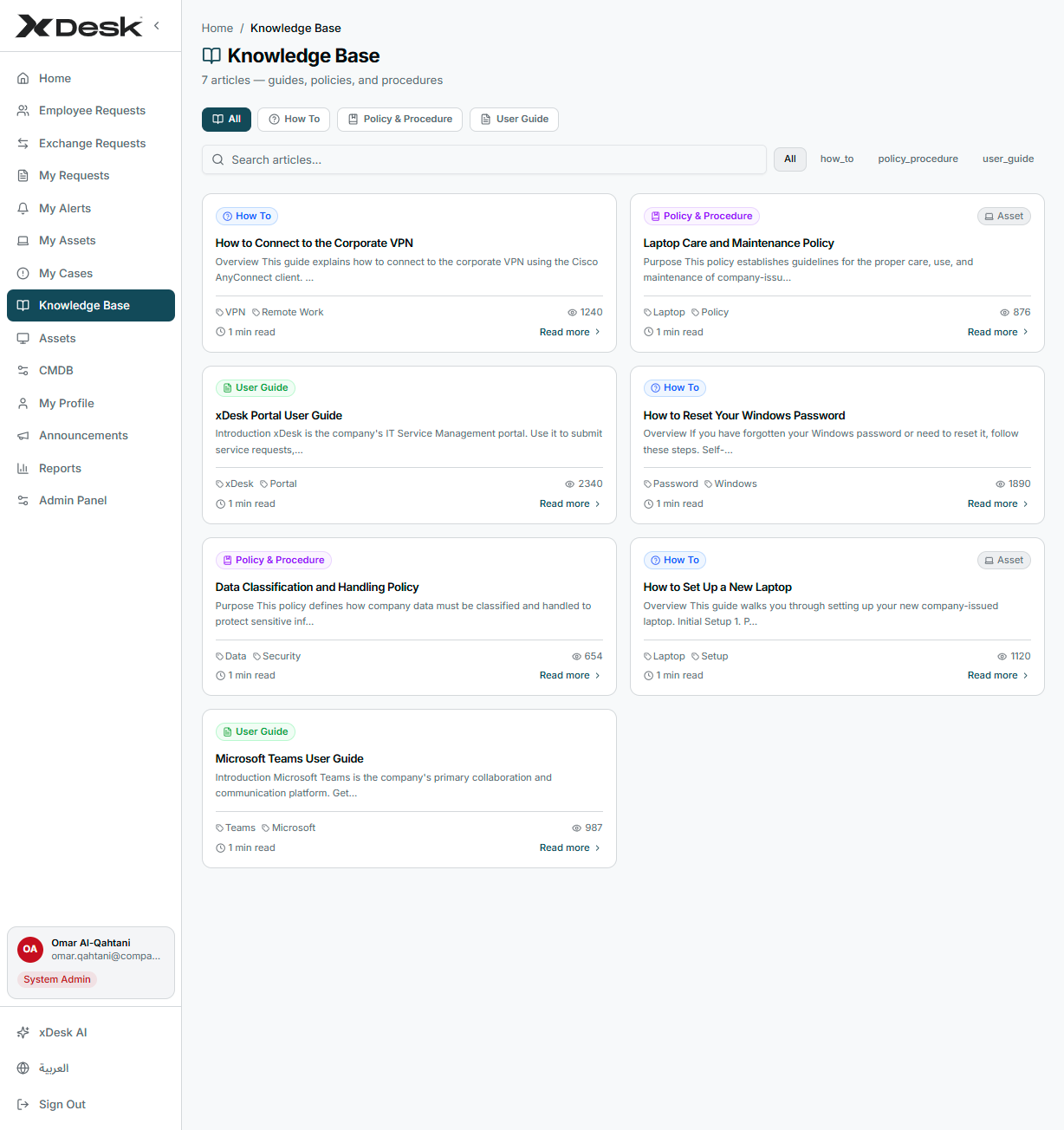
Standardized how-to guides, policies and user guides let employees find answers quickly, before a request is raised.
Service intelligence dashboards give managers the performance KPIs of the service desk. They run on Power BI, a business analytics tool that connects to data sources, creates visuals and delivers business intelligence quickly.
Select a screenshot to enlarge it.
Service management capabilities at the core of xDesk.
Live, drill-down analytics for service operations.
Secure, scalable cloud infrastructure.
Mobile self-service for employees.

Mobile self-service for employees.
See how xDesk automates internal services from request to resolution. For the current generation, with full IT service and asset management, explore xDesk 2026 and how it compares with ServiceNow.