
Government Service Platform

Solution DNA: six principles built into every module

Compliance, security, automation, extensibility, transparency and integration are not optional features in Dynamic Government 365. They are the platform's DNA, inherited by every module, workflow and integration you deploy.

Glass double helix lit from within by cyan light, with six glowing spheres, reflected on a dark surface
Understanding the platform DNA

Non-negotiable principles, not add-on features

In Dynamic Government 365 (DG365), "Solution DNA" means the architectural principles and design characteristics embedded in every component of the platform. Features can be added or removed; DNA strands cannot. They define how each module behaves, how data flows and how the system responds to operational demand.

Just as biological DNA determines the characteristics of an organism, the DG365 Solution DNA ensures that the same foundations of compliance, security, automation, extensibility, transparency and integration apply whether an agency deploys the budgeting module, the procurement system or the citizen services portal. This consistency lets the platform scale across very different government contexts without compromising operational integrity.

DG365 automates and streamlines government processes such as permit applications, tax collection and public records management, improving efficiency and raising the quality of services delivered to citizens and other service consumers. Every government organization also operates along three main pillars that govern its services and relationships, which we call the Governmental Relationship Axes.

The six DNA strands form an interconnected helix: each strand reinforces the others to create a resilient platform genome.

Compliance Security Automation Extensibility Transparency Integration
DNA maturity profile

Consistently high maturity across all six strands

Our maturity assessment rates every DNA strand at a consistently high level, reflecting a balanced approach to government technology requirements.

Security leads at 95% maturity, reflecting the platform's government-grade security posture. Transparency follows closely at 92%, driven by comprehensive audit trails and real-time dashboards. Process Compliance stands at 90%, ensuring regulatory adherence across every workflow.

Maturity by strand
95%Security maturity
92%Transparency maturity
90%Process Compliance maturity
Up to 80%Shorter processing times through automation
The six DNA strands in detail

What each strand guarantees

Every DG365 module inherits all six strands, so agencies get the same controls and capabilities wherever they deploy the platform.

Strand 1

Process Compliance

Every workflow enforces regulatory and procedural compliance at each step. Government-specific rules, approval hierarchies and validation gates are built into the process engine, so no transaction can bypass mandated controls. The DG365 process designer lets agencies capture their procedural standards as reusable templates, making it easier to understand, plan and manage process performance and variations. Configurable compliance templates adapt to different regulatory frameworks, automated checks run at every workflow stage, and complete audit trails satisfy internal and external auditors.

  • Configurable compliance rule engine
  • Multi-level approval hierarchies
  • Automated regulatory validation gates
  • Audit-ready transaction logging
Strand 2

Security

Security is built into every layer of the architecture to protect sensitive government data and prevent unauthorized access, from encryption at rest and in transit to fine-grained role-based access control (RBAC). The platform uses Azure Active Directory for identity management and Azure Key Vault for secrets management, and applies row-level security at every data access point. Multi-factor authentication, session management and IP-based access restrictions provide defense in depth.

  • Azure AD integration with MFA
  • Row-level security (RLS) across all modules
  • End-to-end encryption (AES-256)
  • Azure Key Vault for secrets management
Strand 3

Process Automation

DG365 automates end-to-end government processes with Power Automate and custom workflow engines, from budget approval chains to procurement cycles and citizen service requests. Each automated process inherits its procedure policy from the process designer template, so compliance is maintained at all times. Automation eliminates manual handoffs and errors, cuts processing times by up to 80%, and executes procedures consistently regardless of volume or complexity.

  • Power Automate workflow orchestration
  • Configurable approval chains
  • Event-driven process triggers
  • SLA monitoring and escalation
Strand 4

Extensibility & Customizability

A modular, composable architecture lets agencies extend and tailor the platform to their specific needs, and adapt as business requirements change, without modifying core code. The Power Platform foundation provides low-code/no-code tools for building custom applications, changing workflows and creating new data models. An API-first design ensures smooth integration with existing government systems and third-party services.

  • Low-code/no-code customization
  • Plugin architecture for custom modules
  • API-first design for integrations
  • Custom entity and workflow creation
Strand 5

Transparency

Analytics and reporting are part of the core design, helping agencies track performance and identify areas for improvement. Every action, from budget allocations to procurement decisions, is logged and traceable. Power BI integration gives stakeholders real-time visibility into operations, spending and service delivery, supporting accountability and informed decisions.

  • Real-time operational dashboards
  • Complete action audit trails
  • Power BI analytics with RLS
  • Public transparency reporting
Strand 6

Integration

DG365 is integration-ready with existing government systems through all standard methods, ensuring seamless data exchange with minimal disruption to current processes. It acts as an integration hub for the government technology ecosystem, connecting systems through Azure API Management, event-driven messaging and standardized data exchange. Pre-built connectors shorten integration timelines, while the API gateway centrally manages, throttles and monitors all inter-system communication.

  • Azure API Management gateway
  • Pre-built government system connectors
  • Event-driven integration patterns
  • Standardized data exchange (JSON/XML)
DNA strand interconnections

Each strand strengthens the others

The strands do not operate in isolation. They form a tightly connected web in which an improvement in one naturally reinforces the rest. These are the key synergies.

Strand pairSynergyExample
Compliance + AutomationAutomated compliance checks eliminate human errorBudget approvals are automatically validated against spending limits
Security + TransparencySecure audit trails enable trusted transparencyEncrypted logs provide tamper-proof procurement records
Extensibility + IntegrationExtensible APIs enable seamless system connectionsCustom modules connect through the API Management gateway
Automation + TransparencyAutomated reporting provides real-time visibilityDashboards update automatically as workflows complete
Compliance + SecuritySecurity controls enforce compliance boundariesRBAC prevents unauthorized budget changes
Integration + AutomationIntegrated systems trigger automated workflowsVendor registration automatically triggers compliance checks
Dynamic Government solution design

Designed around business functions, powered by Microsoft

Dynamic Government applications are designed around the business functions agencies perform, and enabled by best-in-class technology. To achieve this, we built our solutions on Microsoft's world-class information management ecosystem.

The result is a set of business applications that work the way you do, with serious power under the hood: best-practice workflow management, end-to-end process security, unlimited integration capabilities and much more.

Power Platform Dynamics 365 Dynamics Government Integration tier Microsoft Azure
  1. 01

    Microsoft Azure

    The cloud foundation that secures, hosts and connects every solution.

    • Secured Application Integration
    • Compute Hosting Services
    • On-Prem Data Gateways
  2. 02

    Integration tier

    Integrated components, micro-services and integrated processes that extend the platform outward.

    • Public Web Applications
    • Public Mobile Applications
    • Automation Services
    • Notification Services
    • ERP Integration
    • Productivity Tools Integration
  3. 03

    Dynamics Government Platform

    The government-specific layer where DG365 solutions are designed around business functions.

  4. 04

    Dynamics 365

    The business application framework underneath every module.

    • Business Apps
    • Business Intelligence
    • Process Management
    • Information Management
  5. 05

    Microsoft Power Platform

    Low-code tools for apps, automation and analytics.

    • Power Apps
    • Power Automate
    • Power BI

Public web and mobile applications, automation and notification micro-services, and ERP and productivity-tool integrations all plug into the Dynamics Government Platform.

Microsoft Power Platform foundation

Putting data in the hands of every employee

Microsoft Power Platform enables data democratization: making digital information accessible to everyday, non-technical users. Its core technologies let staff create apps, automate work and analyze data themselves, without coding knowledge.

Low-code tools do not offer every nuance of custom development, but they give most users a simple way to build, automate and analyze in ways that were never before possible for the average employee.

AdministratorsWeb and mobile access
External usersWeb and mobile access
Microsoft Azure
Azure Micro-Services Stack
  • .NET Integration API Services
  • .NET App Access API Services
Microsoft Dataverse
  • Business Solution Information Repository
Microsoft Power Platform Stack
  • Dynamic Government
  • Power Apps
  • Power BI
  • Power Automate
External Services Stack
  • Social Connectors
  • Email Gateway
  • SMS Gateway
  • Google Firebase
Customer Information Management Systems
  • Active Directory
  • ERP
  • Document Management
Platform benefits

Why build on Dynamics 365 and Power Platform

Robust security

Microsoft Dynamics 365 and Power Platform are fully secured web platforms. DG365 xRM extensions inherit the same protection, so teams can deliver secure web applications with confidence.

Platform choice

Deploy the software in the way that best fits your requirements and existing technology infrastructure.

Adaptability

Built on Dynamics, every xRM extension can be tailored to your business needs, competitive landscape and growth plans.

Rapid development and deployment

Sophisticated capabilities such as security are already built in, so applications and extensions are delivered much faster than with traditional development.

User-friendly

Users already know the Dynamics experience, so xRM applications are adopted quickly with no additional effort.

Easy to integrate

Dynamics works much like Microsoft Office and integrates easily with it. xRM applications connect to Outlook and to major Microsoft platforms including Word, SharePoint and Excel.

Powered by the best in class

Power Apps, Power Automate and Power BI at the core

The latest versions of Dynamic Government take full advantage of the three main components of Microsoft Power Platform. Together with Dynamic Government applications, they let agencies deploy automation tailored to their needs without extensive development, accelerating delivery and reducing the cost of traditional software projects. The platform is highly secure and integrates with other Microsoft technologies, such as Microsoft 365, for seamless data exchange and collaboration.

Power Apps

A low-code development platform for building custom applications without extensive coding. Agencies use it to manage specific processes such as permit applications, citizen requests and compliance management.

Power Automate

A workflow automation tool (formerly Microsoft Flow) that automates repetitive tasks and processes such as approvals, notifications and data entry, improving efficiency and reducing errors.

Power BI

A business intelligence tool for interactive reports and dashboards. Agencies analyze and visualize data from sources such as government databases to understand performance and identify areas for improvement.

Technology foundation

Built on the Microsoft cloud

Microsoft Power Platform

Microsoft Power Platform

Low-code apps, workflow automation and business intelligence.

Microsoft Dynamics 365

Microsoft Dynamics 365

The xRM foundation for every Dynamic Government application.

Microsoft Azure

Microsoft Azure

Secure cloud hosting, integration and compute services.

Mobility solutions

Modern mobile experiences for employees and citizens

More people than ever access online services from smartphones and tablets. Sales of these devices continue to grow, and the number of apps installed on them has grown exponentially, giving mobile apps a unique ability to reach large audiences.

That is why BlueLink Solutions built a strong mobile development competency. Our goal is clear: mobile applications that connect and extend business processes and deliver a modern experience to our customers' employees and to their customers.

Our mobile apps are published to public and enterprise app stores, depending on each app's purpose, and all share a common set of capabilities that meet today's user expectations and business needs.

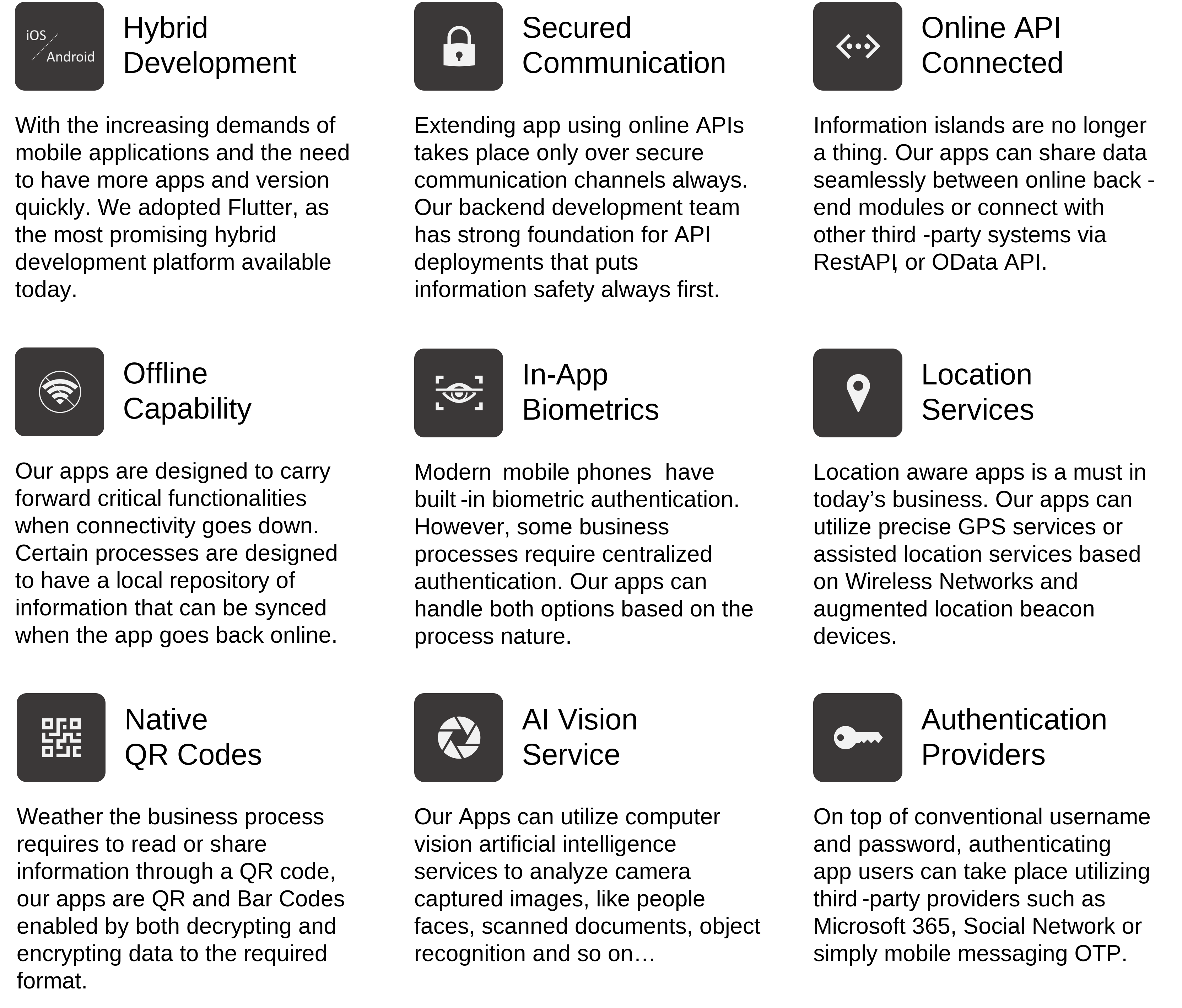
Mobile app capabilities: hybrid development, secured communication, online API connectivity, offline capability, in-app biometrics, location services, native QR codes, AI vision and authentication providers
Shared mobile capabilities

What every DG365 mobile app can do

Hybrid development

To deliver more apps and versions quickly, we adopted Flutter, the most promising hybrid development platform available today.

Secured communication

Apps call online APIs only over secure channels. Our back-end team has a strong foundation in API deployment that always puts information security first.

Online API connected

No more information islands. Apps share data seamlessly with online back-end modules or connect to third-party systems through REST or OData APIs.

Offline capability

Critical functions keep working when connectivity drops. Selected processes keep a local data store that syncs when the app is back online.

In-app biometrics

Apps support the built-in biometric authentication of modern phones as well as centralized authentication, depending on what each process requires.

Location services

Location awareness is essential today. Apps use precise GPS or assisted location based on wireless networks and location beacon devices.

Native QR codes

Whether a process needs to read or share information by QR code, apps can encode and decode QR codes and barcodes in the required format.

AI vision services

Apps can use computer vision AI to analyze camera images, including faces, scanned documents and object recognition.

Authentication providers

Beyond username and password, users can sign in with third-party providers such as Microsoft 365, social networks or a mobile one-time password (OTP).

Deployment of choice

Deploy the way your agency needs

The powerful, flexible combination of Microsoft Dynamics xRM and Microsoft Azure lets you deploy Dynamic Government solutions in the model that suits you.

  • On-premises
  • Cloud software as a service (SaaS)
  • Private cloud
  • Hybrid deployment that combines two or more of these models
Deployment models: public or private cloud, hybrid and on-premises

See the DG365 DNA at work

Find out how compliance, security, automation, extensibility, transparency and integration come together in a live demonstration tailored to your agency.