
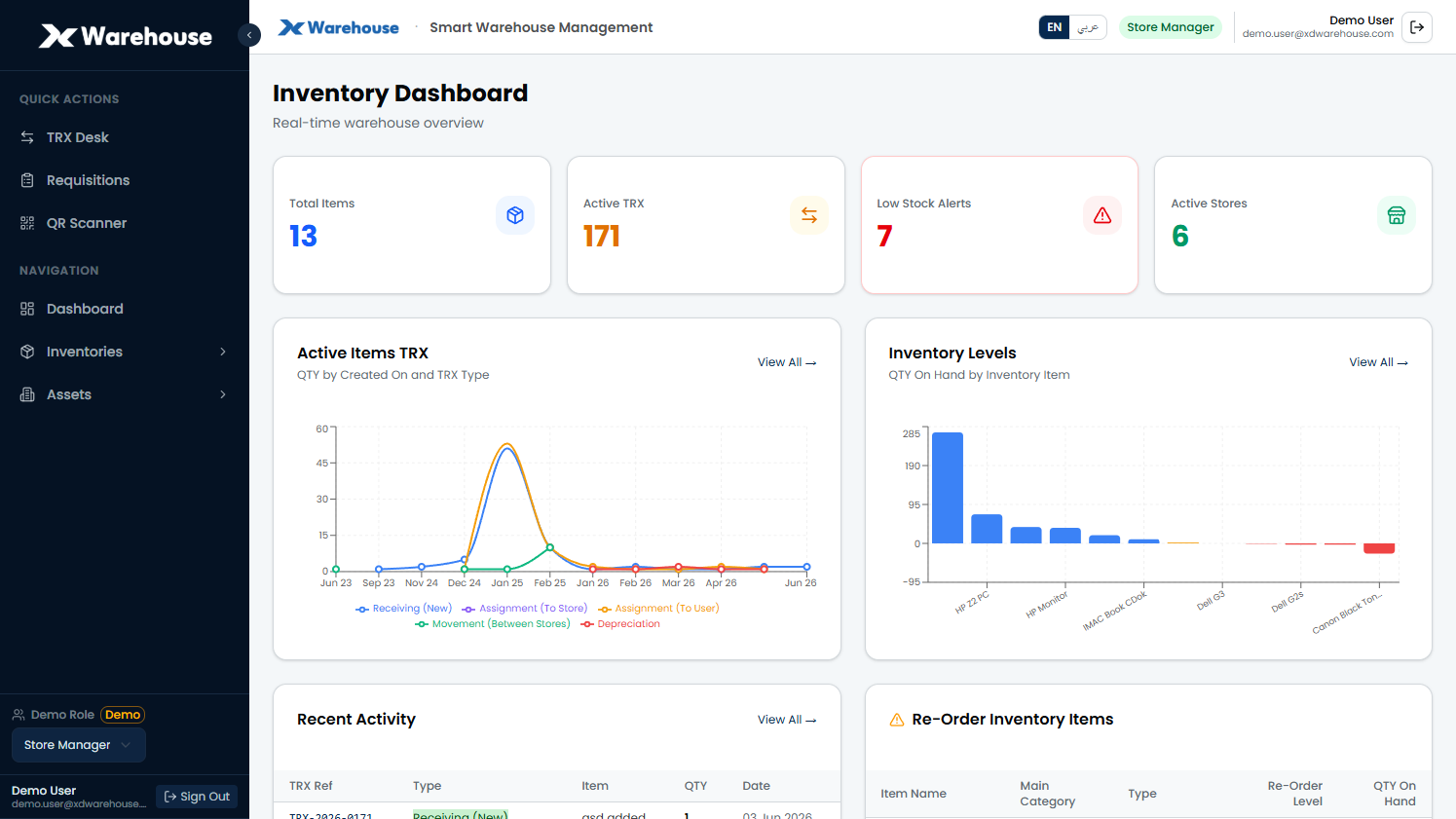
Live status indicators
Total registered items, active transactions, low stock alerts and active stores at a glance.
Service & Asset Management
Inventory and warehouse management built on Microsoft Dynamics 365. xWarehouse gives government organizations real-time stock visibility across every store, automatic re-order triggers, digital requisitions and a mobile app for storekeepers, with an audit trail behind every movement.
xWarehouse applies supply-chain rigor to the hardware, spare parts and consumables that keep public services running.
It is built on the same Microsoft Dynamics 365 foundation as xDesk, the service and asset management platform. xDesk handles service requests, cases and asset records. xWarehouse manages the stock behind them: what was purchased, which store holds it, who received it and when it needs replacing.
Multi-store movement, automatic quantity balancing and purchase request links are included as standard. There is no separate stockroom module to license and no second system to reconcile.
Paper maintenance orders, separate lists per store and periodic counts leave managers unsure of what is on the shelf. xWarehouse replaces them with a single record that updates with every transaction.
Slow, manual and hard to audit.
Digital, automatic and traceable.
A live dashboard tracks transaction volumes, stock levels and trends, with drill-down from any chart to the record behind it.
Define as many warehouses and stock rooms as you need, assign a storekeeper to each and monitor the stock health of every facility.
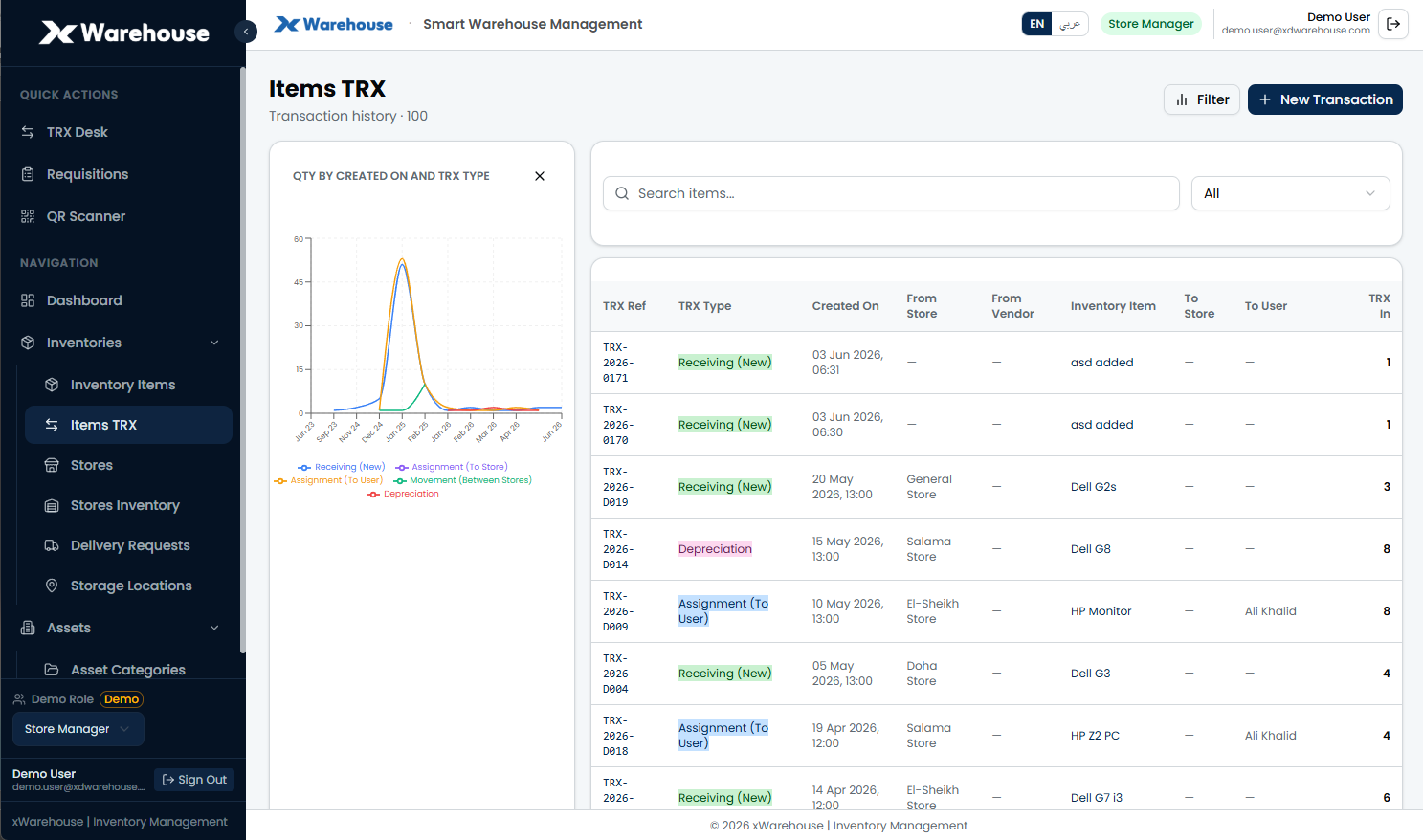
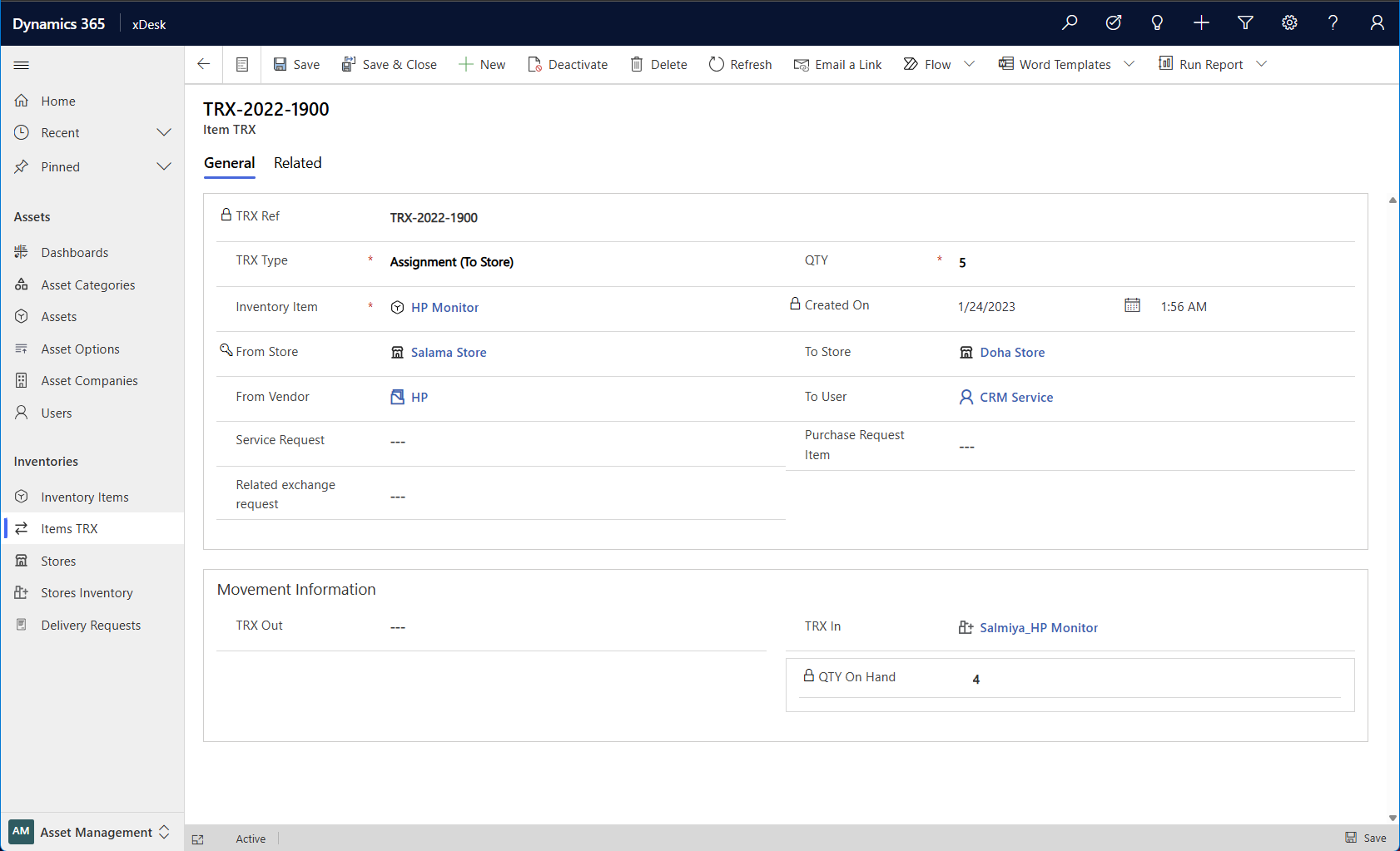
Receiving, dispatch, assignment and inter-store movement are logged as dedicated transaction types with origin and destination.
Item-specific minimum thresholds flag low stock before it turns into a shortage.
Storekeepers receive, transfer and count stock from a phone, in sync with the core system.
Employees sign in with corporate credentials to request materials, obtain authorization and track progress.
Each stage is recorded as a transaction against the item, the store and the person involved, so the chain of custody is never broken.
Stock arrives from the vendor and is logged as a receiving transaction, linked to the purchase request item that ordered it.
The item is held in a named store with a QR or barcode label. Movements between stores deduct from the source and add to the destination automatically.
Assignment and requisition transactions record who received the item, from which store and on what date.
Depreciation is logged as its own transaction type and counted separately, so the record stays complete to the end of the item's life.
When quantity on hand falls to an item's re-order level, the item is flagged for replenishment and the cycle starts again.
Five building blocks cover the catalog, the stores, the transactions between them and the link to purchasing.
Classify hardware, software, accessories and spare parts in a multi-tier hierarchy, so cataloging, pricing and audits stay consistent across the organization.
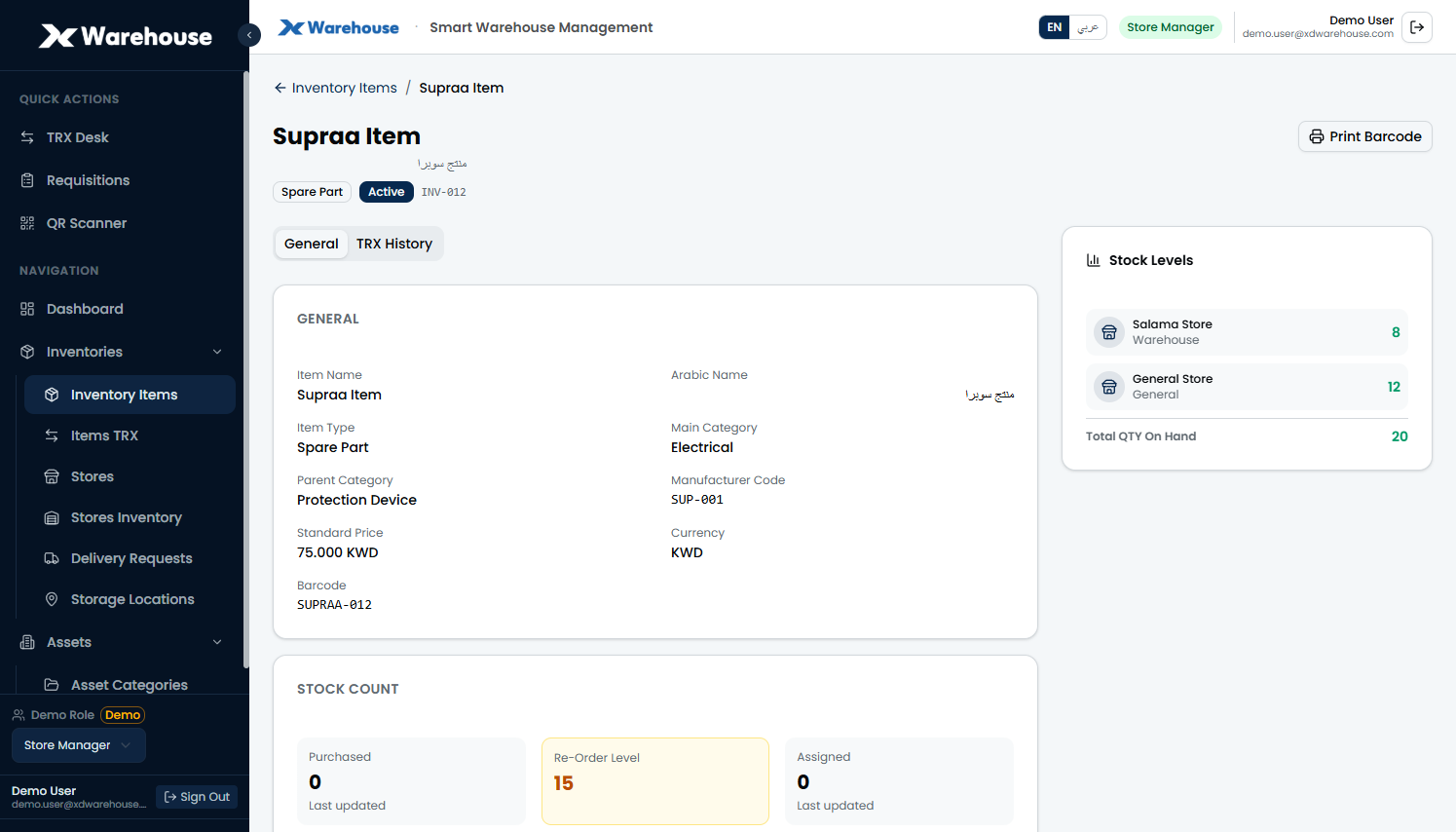
Define an unlimited number of warehouses and stock rooms, by geography or by function, and monitor the stock health of each one independently.
Every receipt, dispatch, return and transfer is entered through structured inputs and kept in a permanent, searchable log.
xWarehouse tracks each item from the moment it is purchased to the moment it is assigned, and recalculates the totals with every transaction.
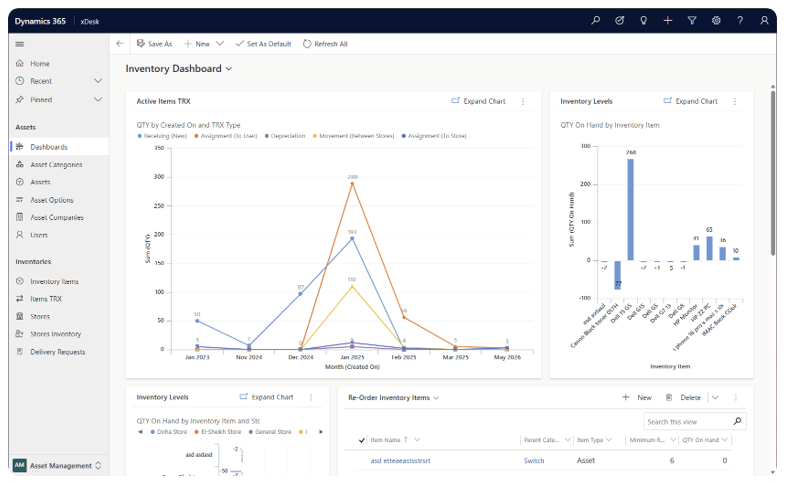
When an item reaches its re-order level or a new asset is needed, intake is linked to the purchase request, so procurement and the warehouse work from one record.
A dedicated, secure portal lets employees request materials, obtain authorization and follow progress without visiting the store.
Single sign-on uses existing corporate credentials. That strengthens security compliance and cuts routine help desk tickets for lost passwords and account lockouts. The portal is available in Arabic and English.
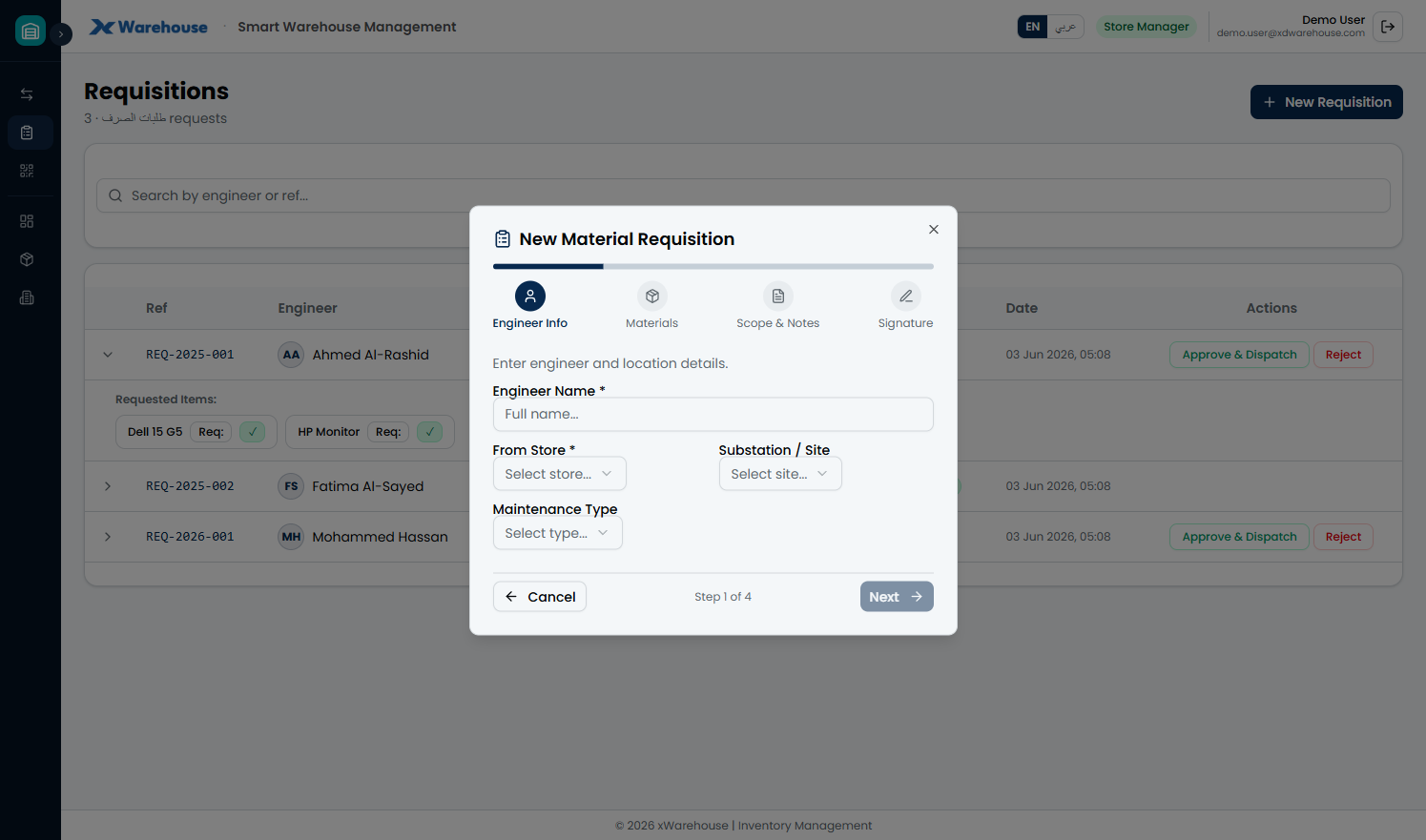
The requester completes four short steps. The store manager completes the process with one click.
The requester signs in with single sign-on, using corporate credentials.
Name, issuing store, substation or site and maintenance type are entered.
The required items and quantities are added to the request.
The work is described for the approver.
The field engineer signs digitally. The signature is timestamped.
The store manager authorizes with one click, adding the second signature.
Approved quantities are deducted from the store's inventory automatically.
The requisition, both signatures and the stock transaction stay on record.
Storekeepers and field staff work where the stock is. Every action synchronizes with the core system in real time.
A dedicated app for storekeepers and warehouse staff, integrated with the core xDesk architecture and available natively on iOS, Android and Windows, with offline capability.
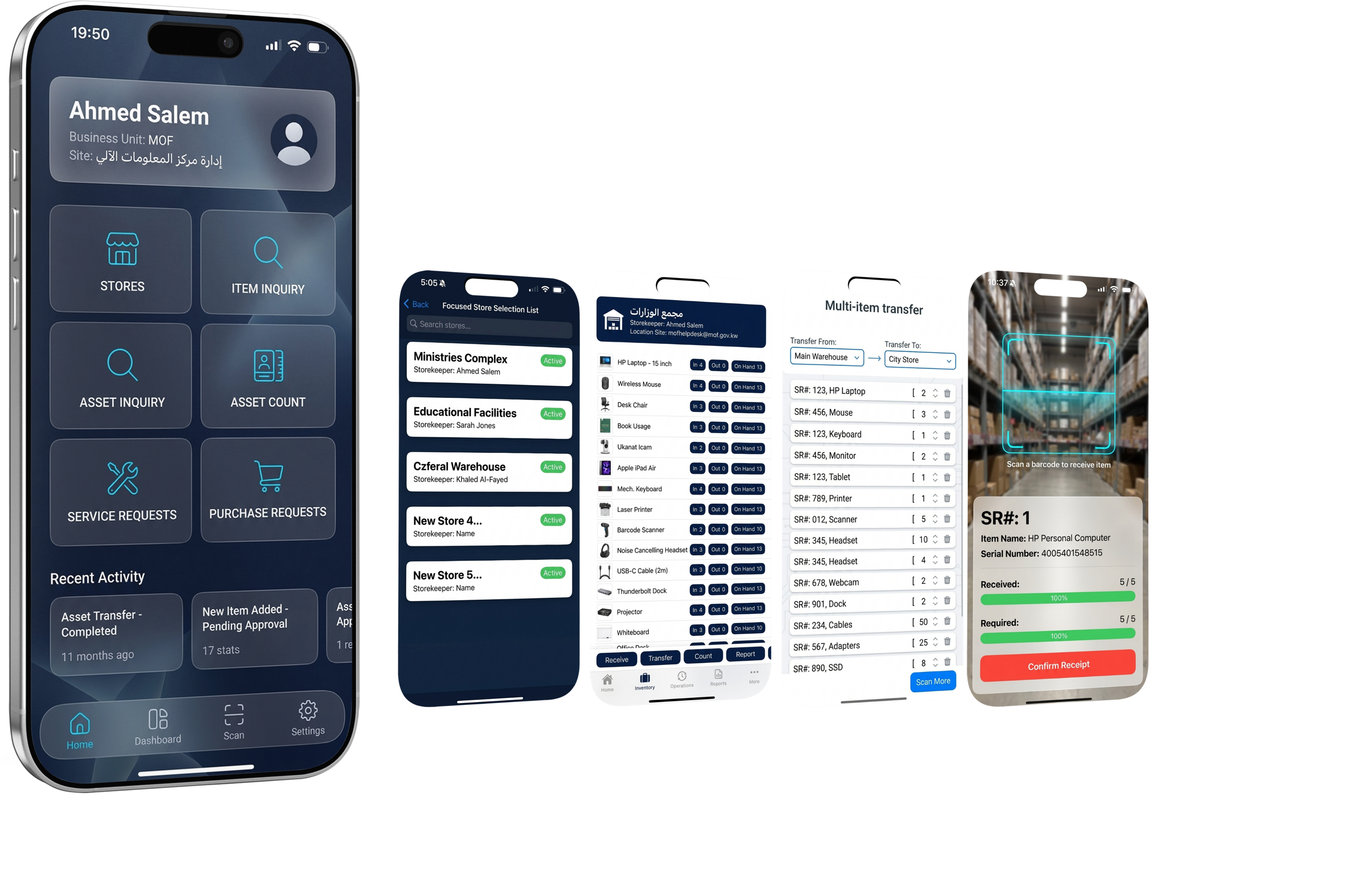
A mobile-responsive scanner turns ruggedized field tablets into barcode readers for immediate identification of any item.
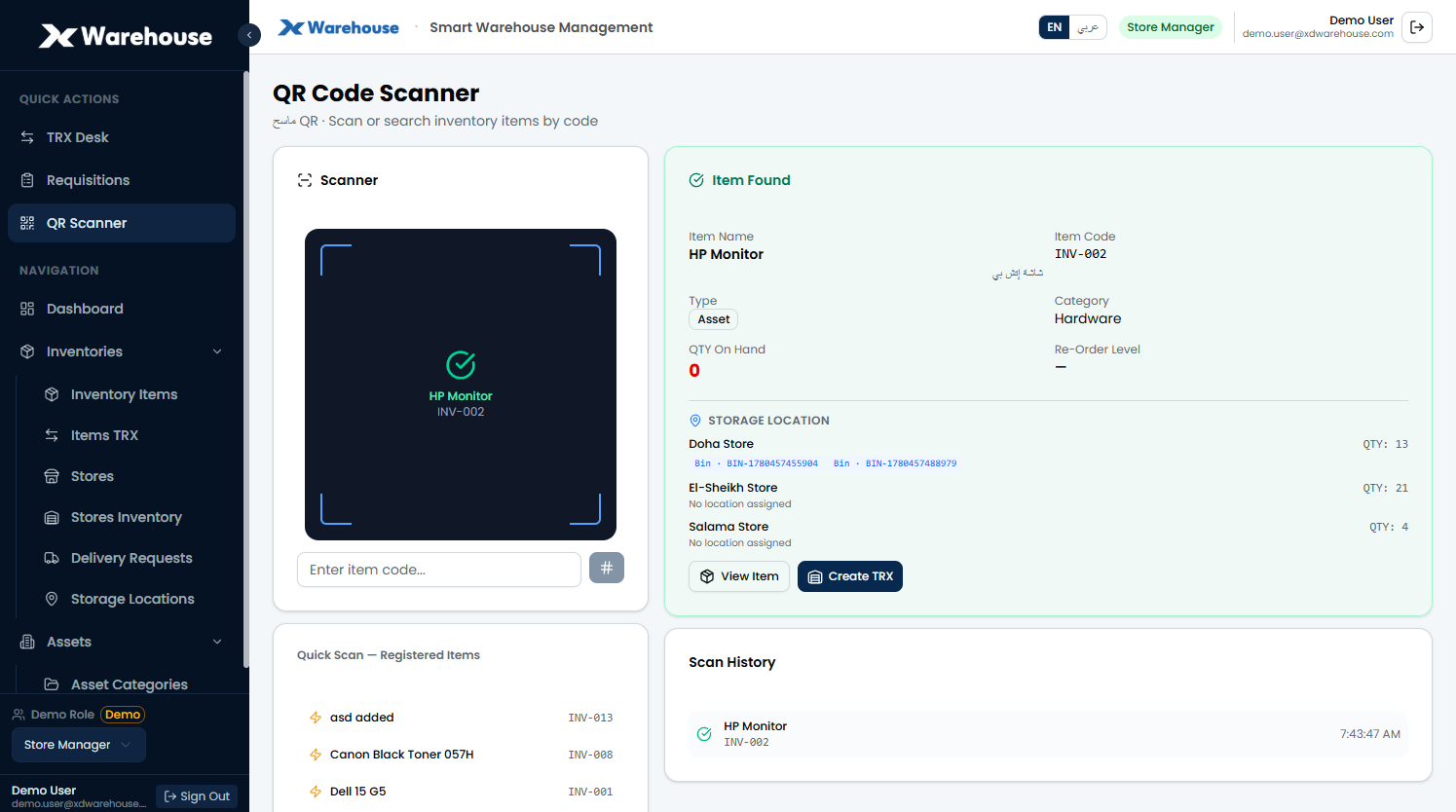
Each item carries its own re-order level. The Microsoft Dynamics 365 workflow engine compares it with quantity on hand and flags any item that drops below its operating level.
Receiving, assignments and movements
Recalculated per item and per store
Minimum thresholds set per item
Raised on the dashboard
Items that need replenishment
Replenishment alerts for procurement
The Control and Telemetry Dashboard gives an executive overview of live status indicators, transaction peaks and critical alert states. Deeper analysis runs in Microsoft Power BI and Excel.
Total registered items, active transactions, low stock alerts and active stores at a glance.
Interactive charts track receiving, assignments and movements over time to support resource planning.
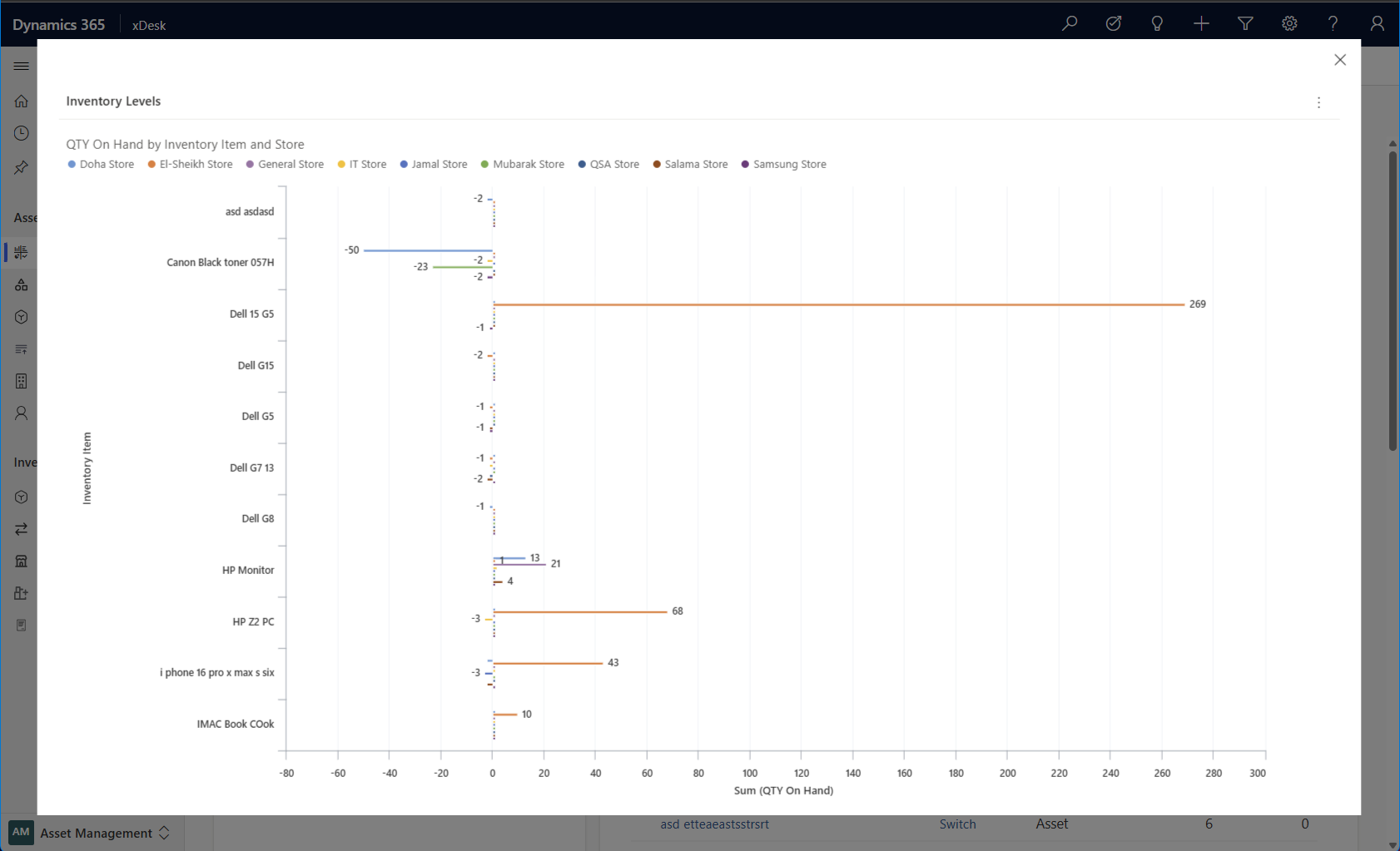
Quantity on hand by item and by store shows how stock is distributed across the organization.
Move from a high-level chart straight to the specific item or transaction behind it.
The category hierarchy is the common basis for reporting, so management can analyze stock value by category.
Native integration with Microsoft Power BI and Excel Live Pivot reporting, with no separate analytics license.
xWarehouse is built on Microsoft Dynamics 365, so the service desk, procurement and management work from the same inventory record.
Transactions reference the service request or exchange request they fulfill, and delivery requests are tracked by status.
Receiving records link to purchase request items, from the initial request to vendor delivery.
The underlying platform and workflow engine, with enterprise-grade security and scale.
Operational dashboards and Live Pivot reporting on live inventory data.
Receiving, transfers and physical counts on iOS, Android and Windows.
Material requests, dual-signature approvals and process tracking for employees.
Users authenticate with their existing corporate credentials.
Deployed to your selected Azure Landing Zone, with on-premises and private cloud options.
xWarehouse competes directly with ServiceNow Hardware Asset Management (HAM). The difference is in what comes as standard. See the full comparison.
| Capability | xDesk & xWarehouse | ServiceNow |
|---|---|---|
| Multi-store logistics | Natively tracks inter-store transfers and stock balancing | Supported via multi-location stockrooms |
| Inventory automation | Automated re-order levels and threshold triggers | Automated stock rules and procurement triggers |
| QR and barcode scanning | Native via mobile app for intake and dispatch | Native via Mobile Agent app |
| Link to purchase requests | Built in: intake is tied directly to purchase requests | Available via specific Procurement Service Management modules |
| Lifecycle traceability | End to end: vendor, warehouse, end user, disposal | End to end via CMDB |
| Mobile field execution | Full ITSM case management, live physical counts, stock transfers and delivery tracking | Incident management, asset audits and approvals |
ServiceNow requires the HAM module for advanced stockroom tracking. xWarehouse includes multi-store movement, automated quantity balancing and purchase request links as standard.
Select any screenshot to enlarge it.
xDesk manages service requests, cases, assets and IT financials. xWarehouse manages the stock behind them. Both run on the same Microsoft Dynamics 365 foundation.
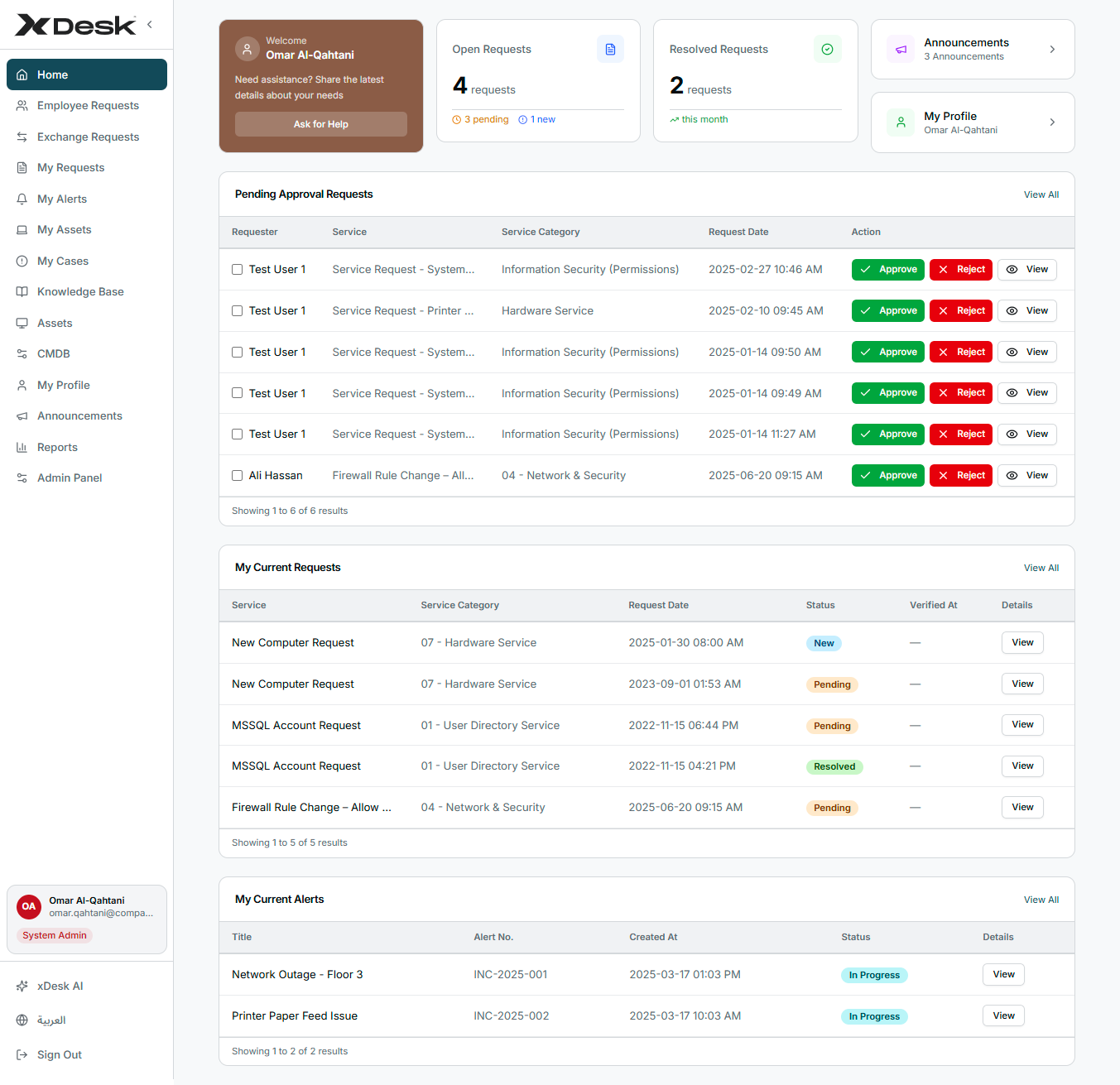
IT service management, enterprise asset management and procurement in one platform for government organizations.
Explore xDesk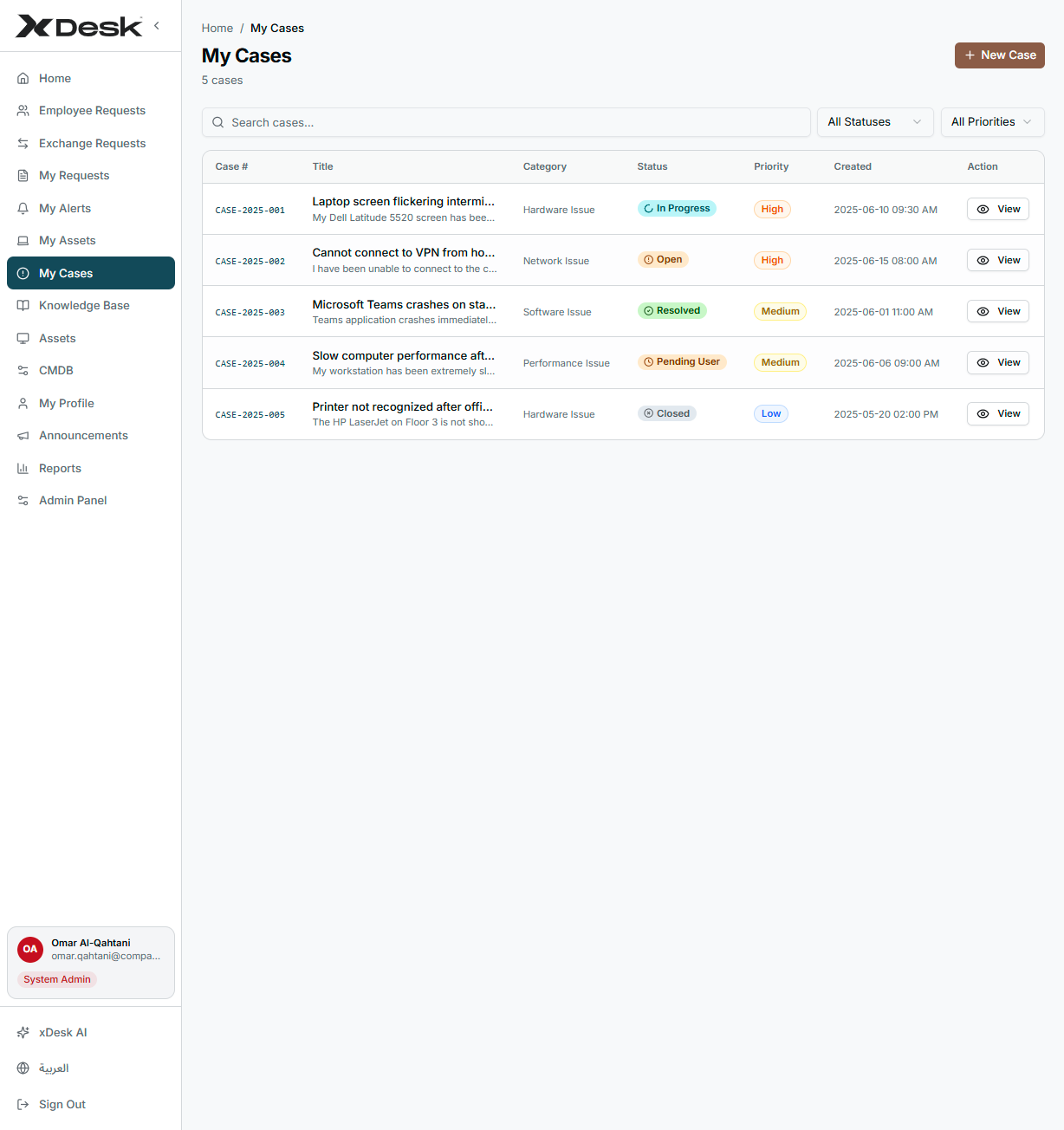
A feature-by-feature comparison across architecture, ITSM, asset and warehouse management, financials, mobile and analytics.
View the comparisonBook a guided demonstration of the inventory dashboard, the requisition portal, the QR scanner and the mobile storekeeper app.