
External vendors and suppliers
Register through a self-service portal, maintain company profiles, upload compliance documents, select commodity classifications and track application status in real time.
Core Solutions · Commercial Relationships
One online portal and one registry for every supplier. Vendors register themselves, procurement becomes more transparent, and your agency governs the whole vendor lifecycle, from first registration to ongoing compliance and performance.

The Vendor Registration & Management System gives government entities one central hub for every vendor interaction. It is the vendor registration use case of Commercial Relationships Management: an online portal that streamlines registration, makes procurement more transparent and improves supplier relationships. Built on Microsoft Dynamics 365 and the Power Platform, it goes well beyond a supplier database and covers the entire commercial relationship lifecycle.
It addresses the vendor management problems the public sector knows well: fragmented supplier data, manual compliance tracking, inconsistent evaluation criteria and limited visibility into vendor performance. On one cloud-native platform, you keep a single registry of all commercial partners and enforce standard processes for registration, classification, compliance monitoring and performance evaluation.
One source for all vendor data, documents, classifications and commercial relationships across government entities.
Automated monitoring with real-time document expiry tracking, regulatory validation and risk-based assessment.
Multi-criteria scorecards with weighted KPIs, trend analysis and AI-driven performance prediction.
A diverse external vendor community reaches a governed processing core through the portal, with integration, intelligence and Azure services underneath.
The supplier community the registry serves.
Where vendors do the work themselves.
Runs on Dataverse and applies the same rules to every vendor.
Links to surrounding systems and scores vendor risk.
Secure storage, data and API services.
The system serves everyone in government procurement, from vendors seeking public sector work to the internal teams that manage commercial relationships.
Register through a self-service portal, maintain company profiles, upload compliance documents, select commodity classifications and track application status in real time.
Search and discover vendors, verify compliance on dashboards, evaluate performance, and work directly with the eTendering and Contract Management modules.
Monitor compliance on automated dashboards, receive document expiry alerts, analyze risk scores and access audit trails for regulatory review and forensic investigation.
Track vendor ecosystem health, market diversity, local content compliance and SME participation rates to guide policy-driven procurement decisions.
Registration is the start. Monitoring and renewal keep each vendor file valid for as long as the relationship lasts.
Vendors sign up and build their profile through the self-service portal.
Submitted documents are verified before review.
Vendors are categorized using the UNSPSC taxonomy.
Registrations pass through multi-level review.
Delivery and contract performance are monitored against KPIs.
Documents and credentials are monitored continuously for expiry and risk.
Expiry alerts start automated renewal workflows, so documents are refreshed before they lapse.
One authoritative registry replaces scattered spreadsheets and departmental databases, so vendor information is consistent, accurate and current across all government entities.
Self-service registration with automated validation cuts onboarding from weeks to days and gives you faster access to qualified suppliers.
Automated document expiry tracking and compliance monitoring replace reactive manual checks, reducing the risk of engaging non-compliant vendors.
Multi-criteria scorecards and historical analytics support evidence-based selection, improving procurement outcomes and reducing supplier risk.
Simpler registration and transparent classification lower barriers to entry and make your vendor base more diverse and competitive.
Automating registration, compliance verification and performance evaluation reduces administrative overhead by up to 60%, freeing procurement teams for strategic work.
Each component handles one part of the lifecycle, and all five share the same vendor data and processes.
A public, multilingual web portal where vendors create accounts, complete company profiles, upload required documents, select UNSPSC commodity classifications and track registration status on a dashboard.
Classification based on the United Nations Standard Products and Services Code (UNSPSC), categorizing vendors by industry sector, product and service capabilities, geographic coverage and company size.
Automated tracking of trade licenses, insurance certificates, financial statements and regulatory approvals, with configurable expiry alerts, automated renewal workflows and integration with external verification services.
Multi-criteria scorecards with configurable KPIs for delivery quality, timeliness, pricing competitiveness and contractual compliance, with weighted scoring, trend analysis and benchmarking across categories.
Vendor risk profiles that combine financial health, compliance history, performance trends and external market intelligence, with risk scores, early-warning alerts and recommended mitigation strategies.
Delivered through the Commercial Relationships Management solution components: Public Service Portal, Public Service Mobile Apps, Management App, Analysis & BI and Integration Module.
Vendors complete the whole journey in the portal. AI handles data capture, and procurement keeps the final say at every gate.
The vendor creates an account by entering company details: legal name, registration number, tax ID, business type and contact information. The government entity does no manual intake.
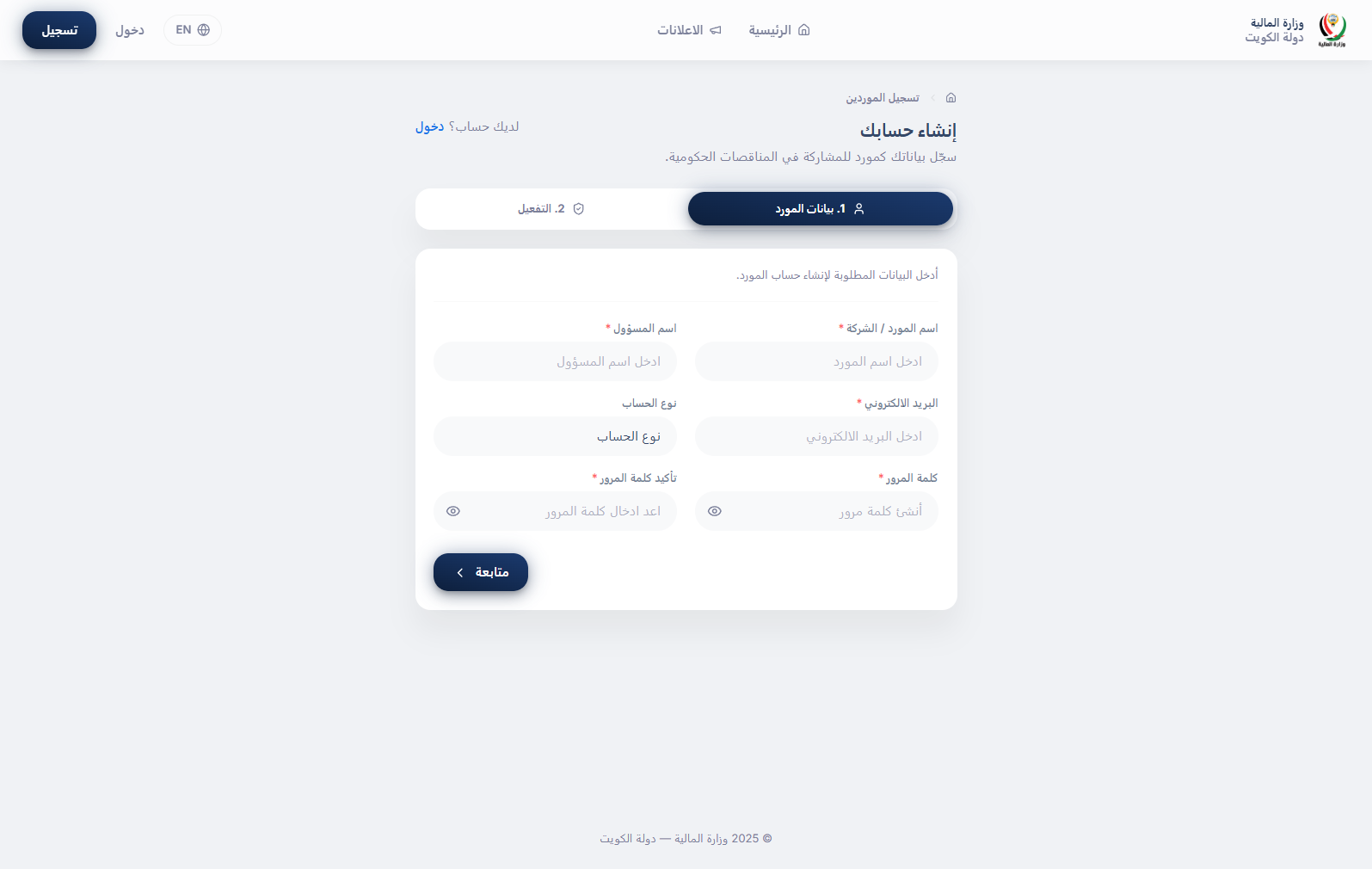
During activation, the vendor pays a one-time registration fee of KWD 50.000, covering a full-year subscription, directly in the portal. The payment card states the amount and what it covers, and the vendor chooses between a KNET credit or debit card and bank transfer. Offline fee collection disappears, and account activation is tied automatically to a confirmed payment.
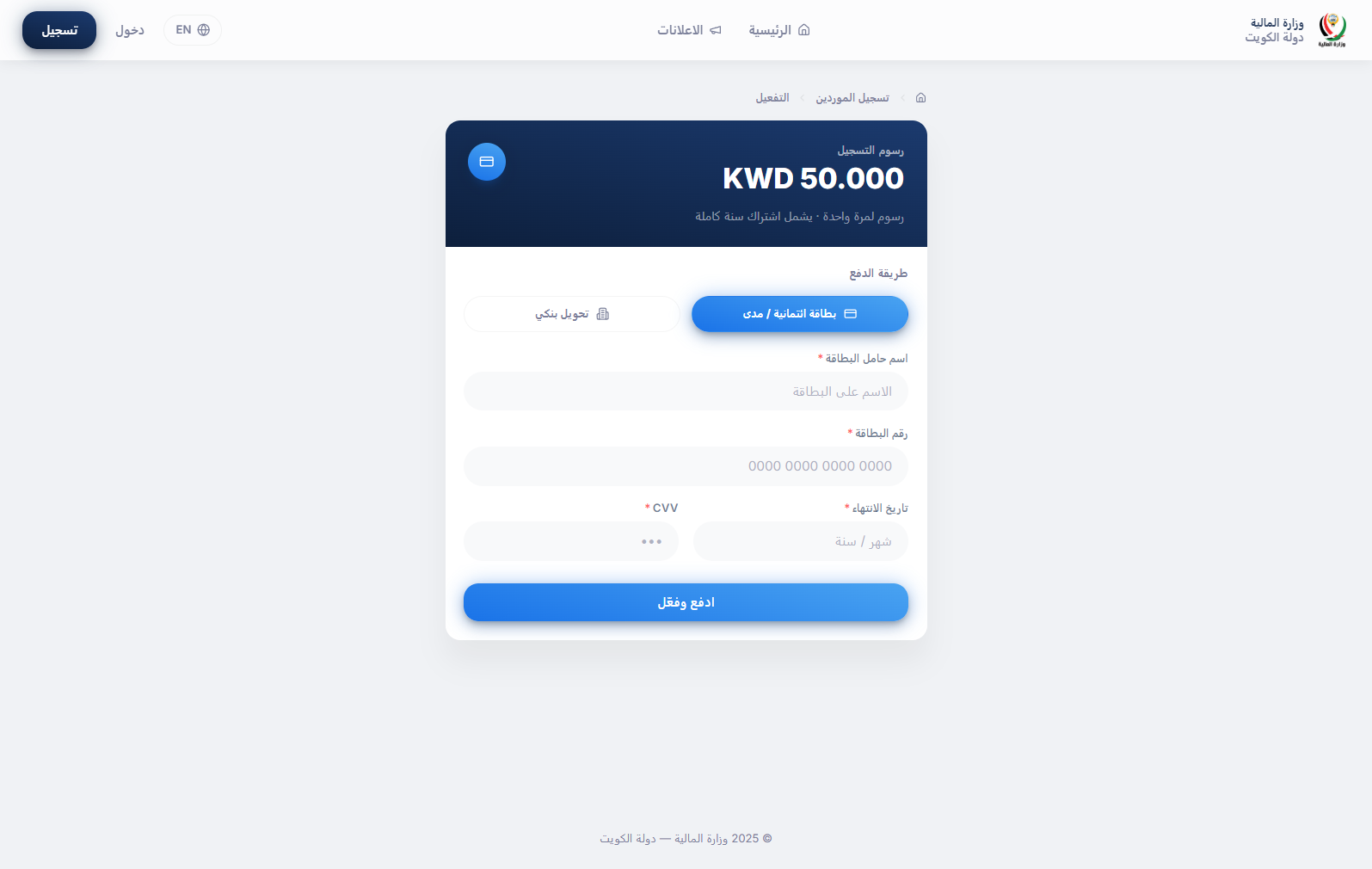
The vendor uploads official documents such as the Ministry of Finance tax certificate, commercial registration and CAIT certificate. The portal's AI reads each document, extracts key data (certificate number, registration number, expiry date) and populates the vendor file. Manual data entry is eliminated, recorded details match the source documents, and expired or inconsistent certificates are flagged automatically for the procurement department's review.
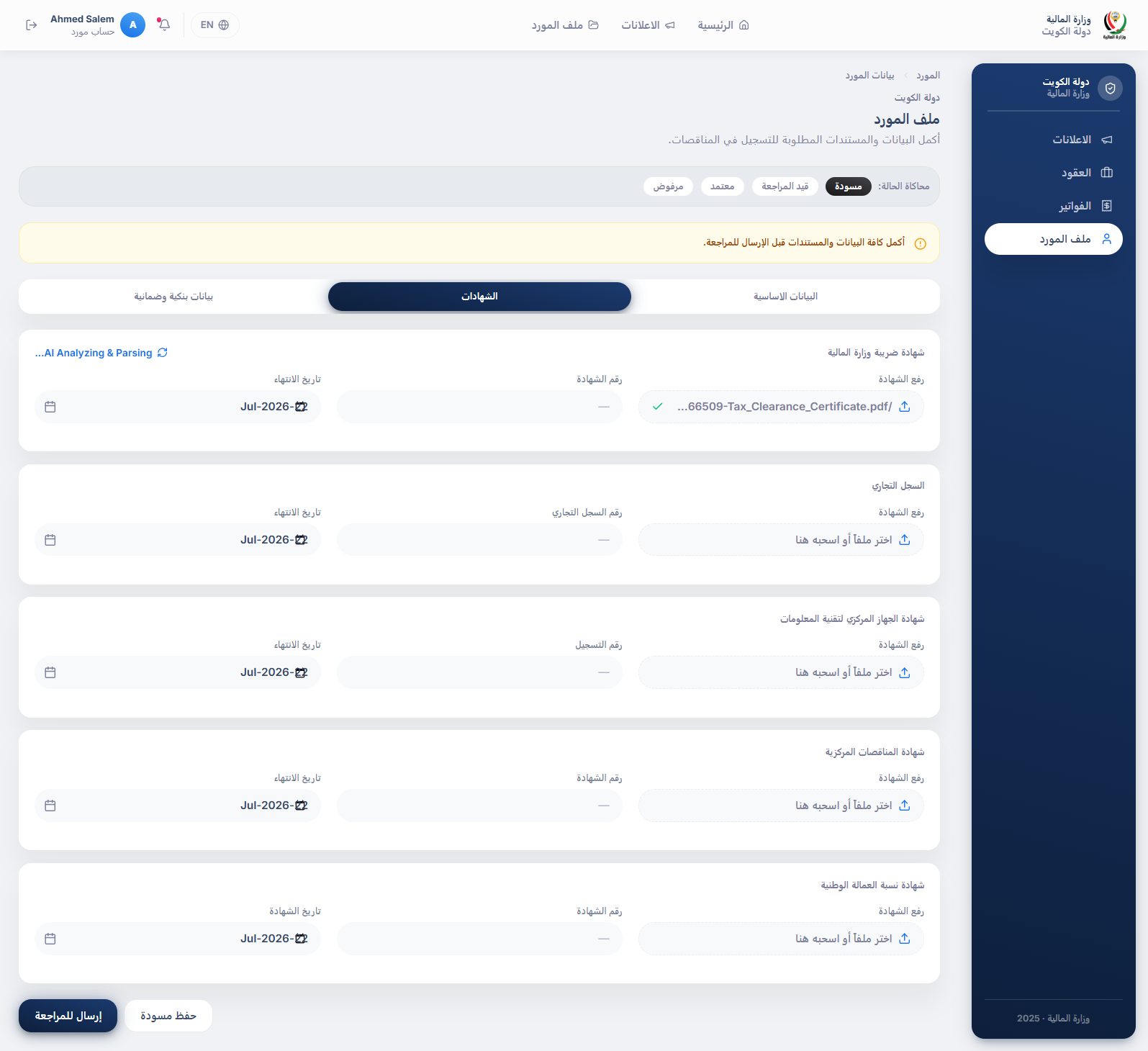
Once approved, the vendor lands on a dashboard showing verified status and summary metrics, and contract and invoice features become available for the account.
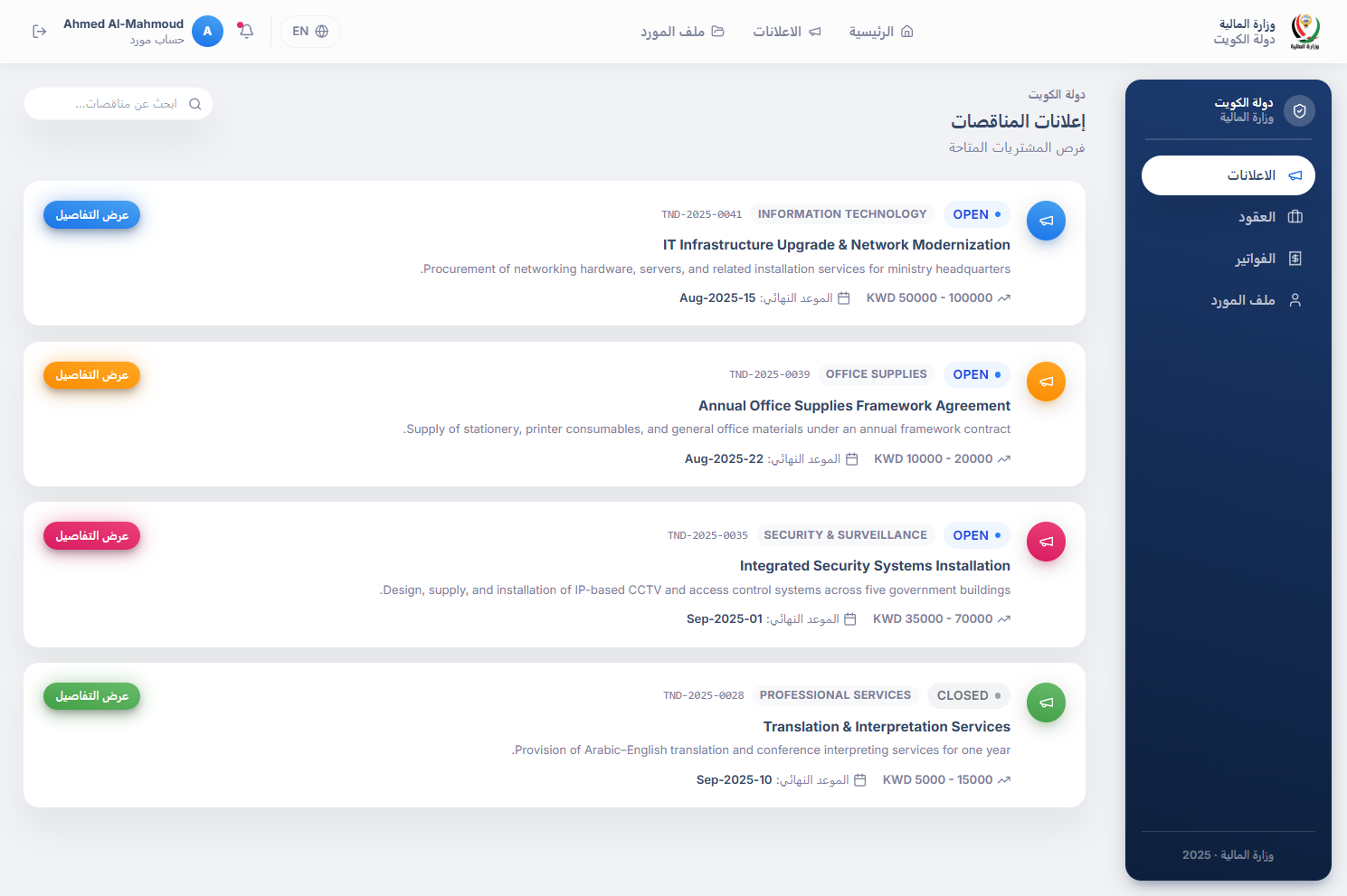
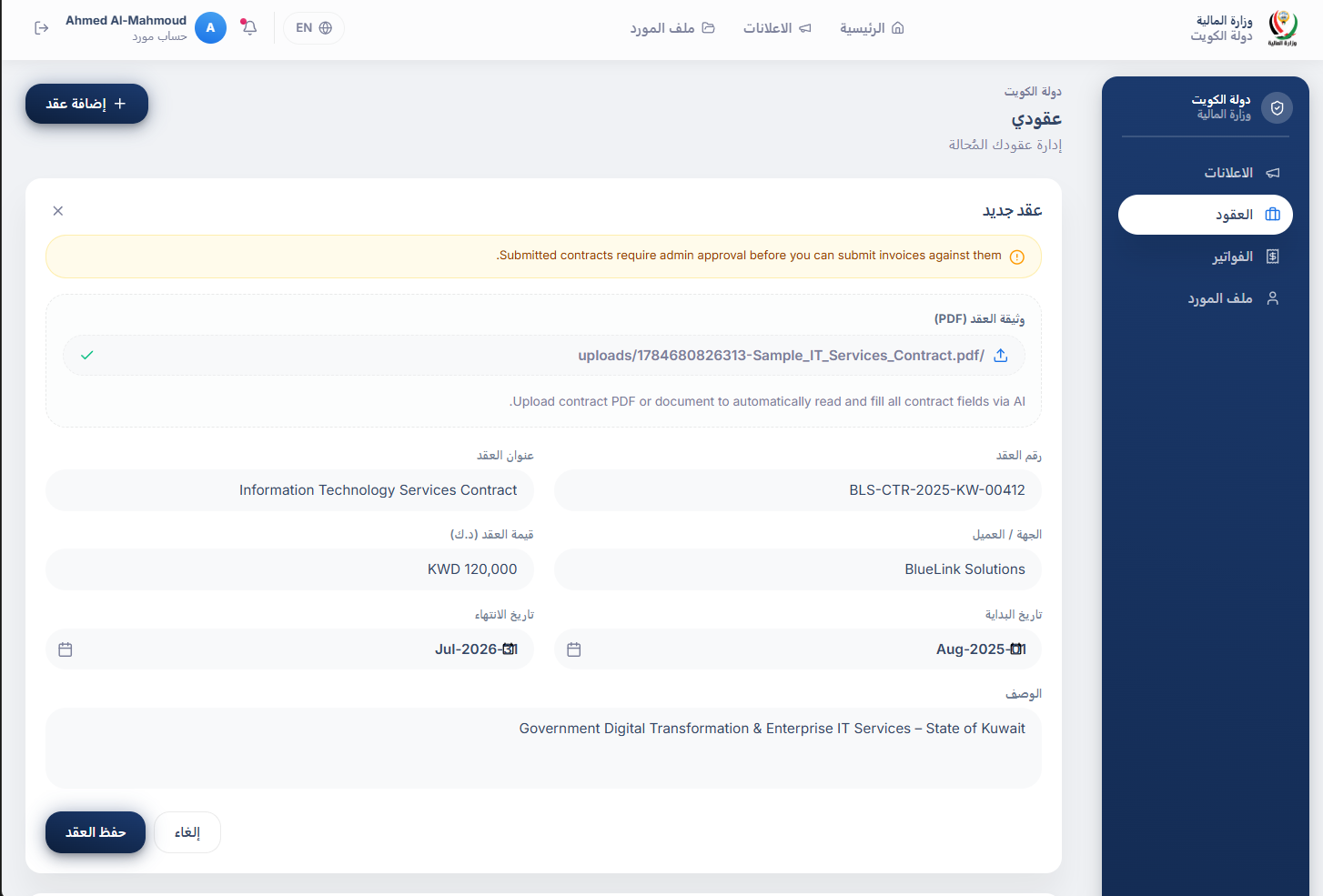
The vendor uploads the contract PDF, and the AI engine immediately fills in contract number, client entity, value, start and end dates and scope, which the vendor confirms before submitting. The contract is then verified in two stages: AI extraction first, followed by a mandatory procurement review. Invoices cannot be submitted until the contract is approved. Once it is, the contract appears as active and invoicing opens. Contract onboarding is fully digital, with zero manual data entry and a human checkpoint that gives the contract its official effect.
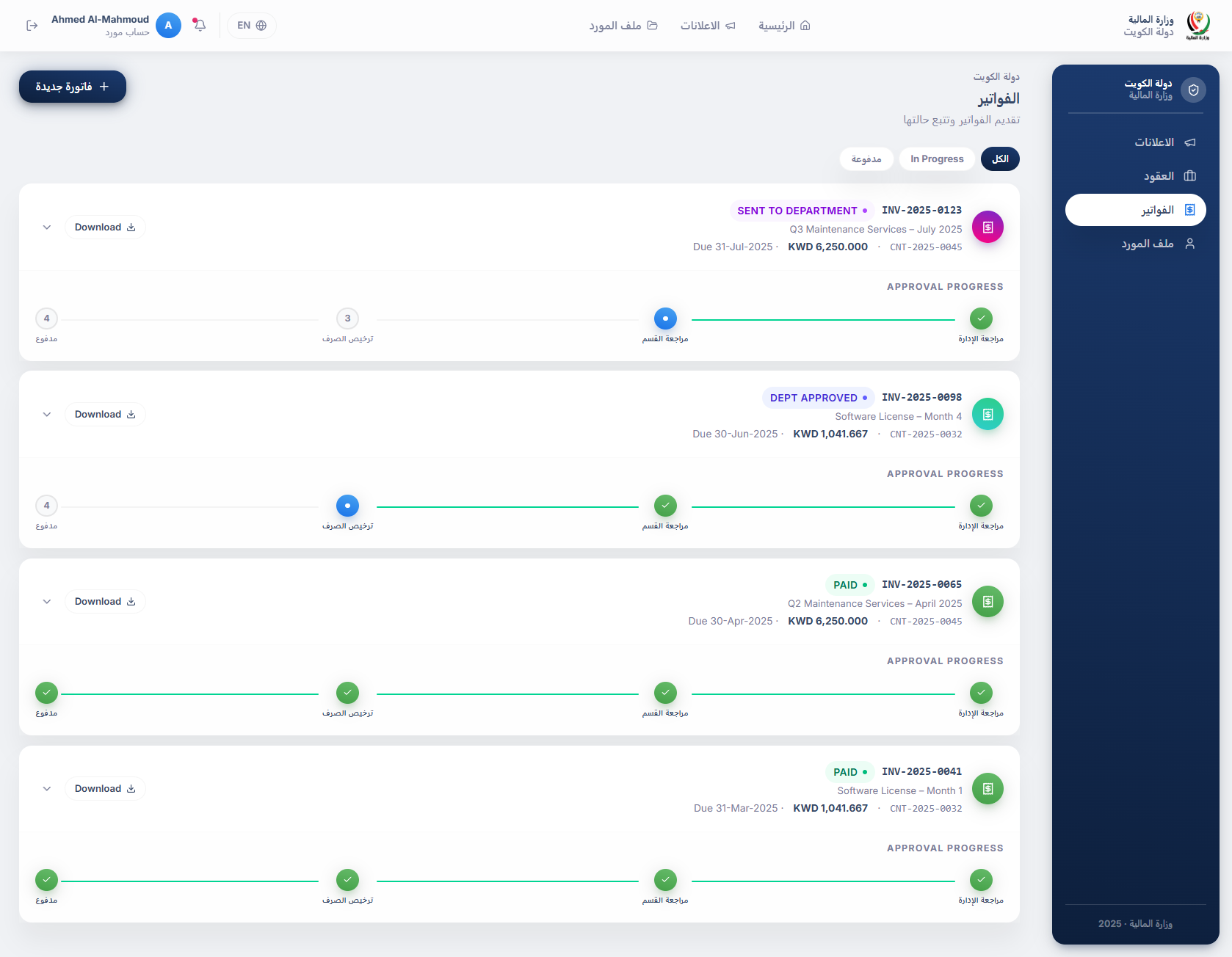
Vendors can bill only against an approved contract. AI parses each invoice and validates amounts and line items against the contract terms, catching discrepancies before human review. The invoice then moves through a visual pipeline (department review, approval, disbursement authorization and payment) with live status such as Sent to Department, Dept Approved or Paid. Vendors see where every payment stands, so follow-up calls are no longer needed.
Procurement administrators manage the supplier base, verification queue, contracts, invoices and tender announcements from one place.
All Foundation capabilities are fully included and active in Advanced Governance + AI.
For agencies establishing digital vendor management.
Everything in Foundation, plus governance, integration and AI.
| Feature / capability | Tier 1 Foundation | Tier 2 Advanced Governance + AI |
|---|---|---|
| Core platform | ||
| Backend vendor management | Yes | Yes |
| Integration with spending management | Yes | Yes |
| Digital self-registration portal | Yes | Yes |
| Manual document vault (encrypted) | Yes | Yes |
| Automated workflow routing engine | Yes | Yes |
| Real-time status tracking and notifications | Yes | Yes |
| Standalone vendor directory | Yes | Yes |
| Arabic / English multilingual interface | Yes | Yes |
| Governance and integration | ||
| Enterprise IAM / SSO integration | No | Yes |
| Hawiati (Kuwait National Mobile ID) integration | No | Yes |
| Automated state API credential validation | No | Yes |
| Conditional rule-based workflow engine | No | Yes |
| Centralized financial system (ERP) sync | No | Yes |
| Continuous automated compliance monitoring | No | Yes |
| Centralized immutable audit logging | No | Yes |
| AI and intelligent automation | ||
| AI document understanding (NLP/OCR) | No | Yes |
| RAG-based form auto-population | No | Yes |
| Autonomous compliance chatbot (24/7) | No | Yes |
| Behavioral anomaly detection and alerts | No | Yes |
| Sovereign AI deployment (air-gapped) | No | Yes |
| Advanced Power BI executive dashboards | No | Yes |
| Environments and infrastructure | ||
| Environments covered | Dev + Sandbox + Prod | Dev + Sandbox + Prod |
| App Services (per environment) | 2 instances minimum | 4 instances minimum |
| Azure AI Services | No | Yes |
| Azure API Management | Standard | Premium |
| Azure Blob Storage | Yes | Yes |
| Azure SQL Database | Standard | Business Critical |
✓ fully included · ✗ not included in this tier. Rows without marks are category headings.
Connect vendor registration to eTendering and Contract Management, or see how Commercial Relationships Management extends it to licensing and certification.